Soil moisture sensors are finally working again

I purchased a couple of LoRa data loggers and a LoRa gateway from Seeed Studio probably more than a year ago.  I liked these data loggers because of the quality of Seeed products, great customer support, reasonable price, and that they could each accept two analog inputs.

The analog inputs allowed me to add Vegetronix VH400 soil moisture sensors, which I’ve been impressed with from past use in a WiFi irrigation system I built.  Moving to LoRa isn’t necessary, but as far as that goes, neither is an automated garden irrigation system! 

Part of the appeal of the Seeed system is that they have a Home Assistant integration where I can set the gateway up using Chirpstack to transmit the data to my Home Assistant system and access my sensor data for data logging and irrigation system control.

This worked in my test setup for several months, but after a Home Assistant update, it stopped working several months ago. At least I thought it had.  I posted an issue about this on Seeed’s github page but never really got a good answer.  I’m not blaming them… they don’t have to make integrations just to satisfy my needs, but it was disappointing that it didn’t work.

I checked all of the settings in my Home Assistant setup, even reinstalled everything (three times!).  No luck.  I next tried a fresh install of everything on a different Rasberry pi (Home Assistant runs on a pi).  Still no luck.

Going back through Seeed’s installation wiki, It said to check the gateway to see if it was transmitting.  I logged into the gateway and it was. I then checked to see if the pi was getting data in the MQTT broker in the Home Assistant setup.  It was too. I was on to something!

I dusted off my Node-Red skills… well, not so much skill as tinkering. I haven’t used Node-Red as much as I used to since I don’t build (solder and program) as many microcontroller sensor and switches as I used now that Home Assistant has so many integrations and the automations have improved so much.  Anyway, with the help of ChatGPT, I was able to bring the data in via MQTT, parse it for what I needed, format it to be recognized as sensors that MQTT could discover, and bam! It works. 

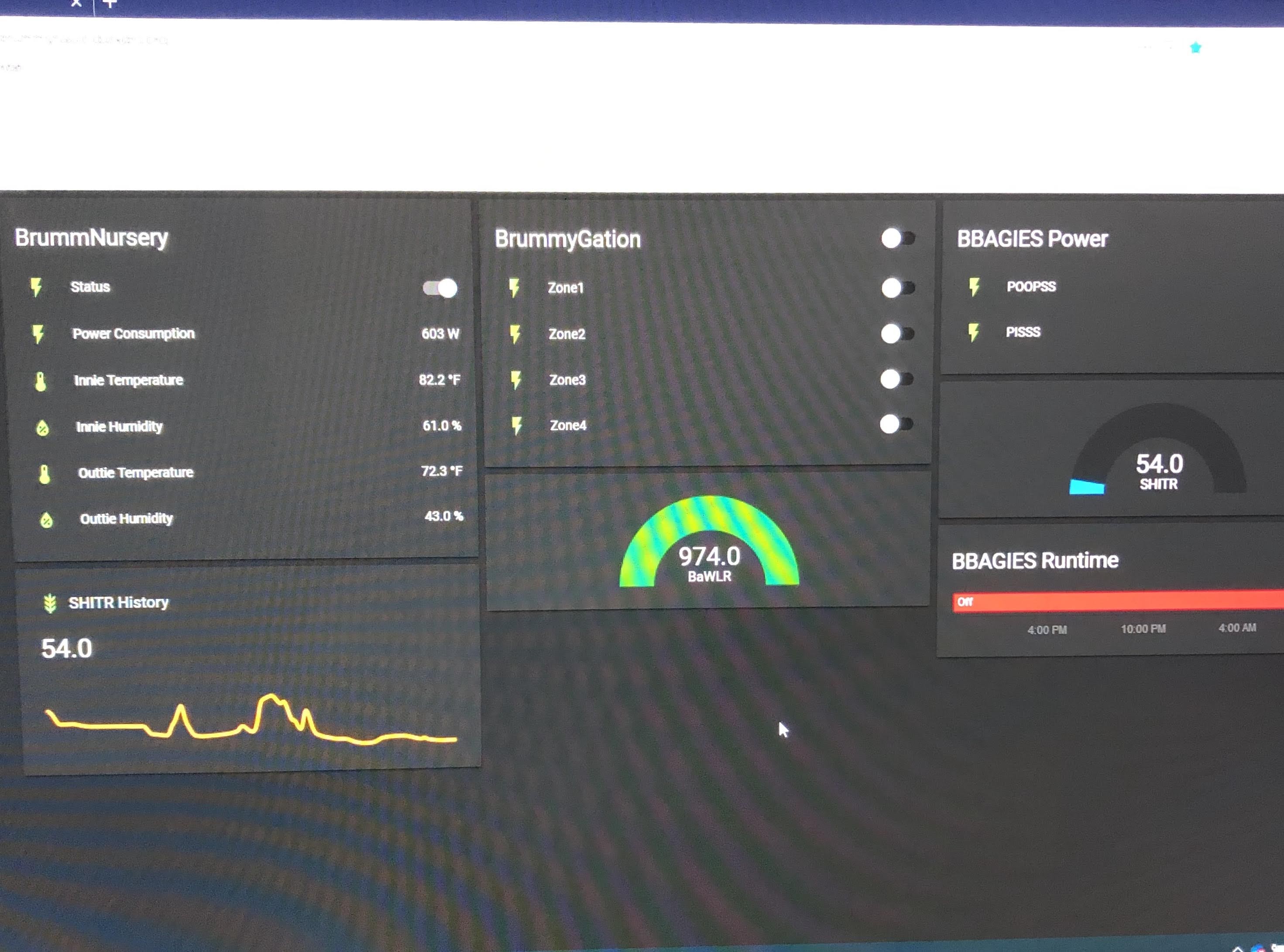
I set up a simple dashboard and can now see and log the data.  This is just an indoor set up for now.  No control or output to a database. Rather, it is the first step in rebuilding BBAGIES (BrummBilt Automated Garden Irrigation Efficiency System) v3ish.something.  BBAGIES will allow me to monitor four zones in my garden and control a pump from a IBC tote to turn the system on when a moisture level threshold is reached and off when the moisture level is sufficient. This will be on a zone-by-zone basis. I’ll have to establish the moisture level thresholds. I’ve tried calculating a moisture percentage in the past, but in reality, the raw data from the sensors and my experience and observation will let me set these thresholds.

More to come (if I can actually make myself sit down and write and post blog updates)!!

It’s Science Man

More tinkering for Garden 2023

January 21, 2023

I started seeds for the 2023 garden three weeks ago. Just peppers and tomatoes. Old peat pellets were in the garage, so that’s what I used initially. As much as I loathe peat pellets, they’re what I had. A week ago I started more in some “fancy” starter trays I found on Amazon. This blog isn’t about either of those, but it is about a new idea I have.

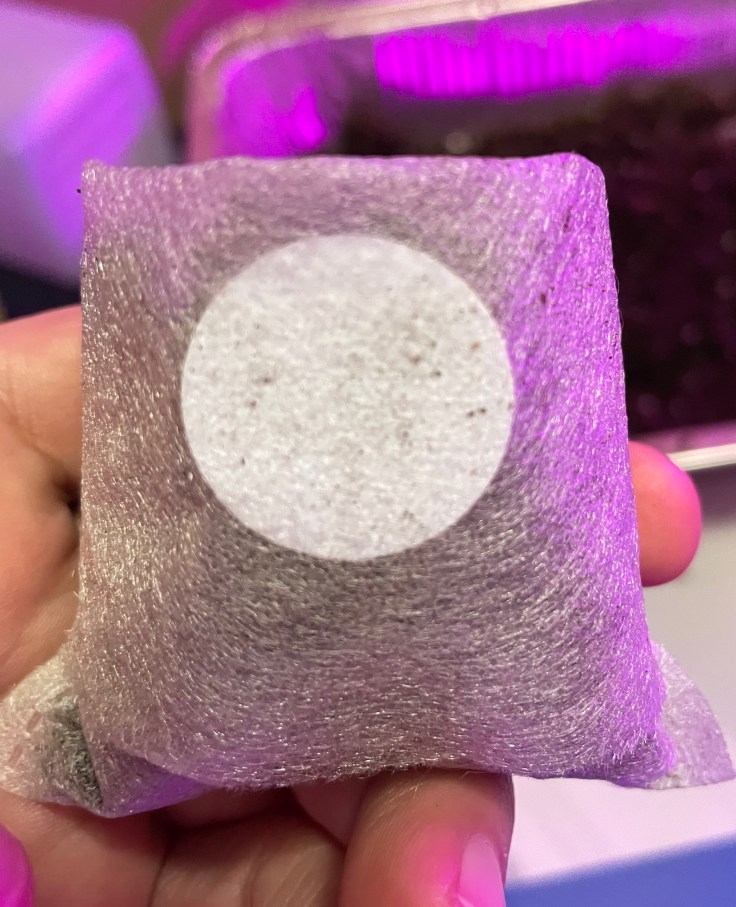
I found these net pots on Amazon. They appear similar to the netting around peat pellets… supposedly biodegradable, but I doubt that. Doesn’t really matter since they’ll tear off easily when I go to transplant plants to the garden.

I’ve been using plastic stakes and a sharpie to identify what’s what in each starter cell/pot, but that is tedious and the stakes are difficult to stick in the soil and get to stay in such a small container. I thought there had to be a better way.

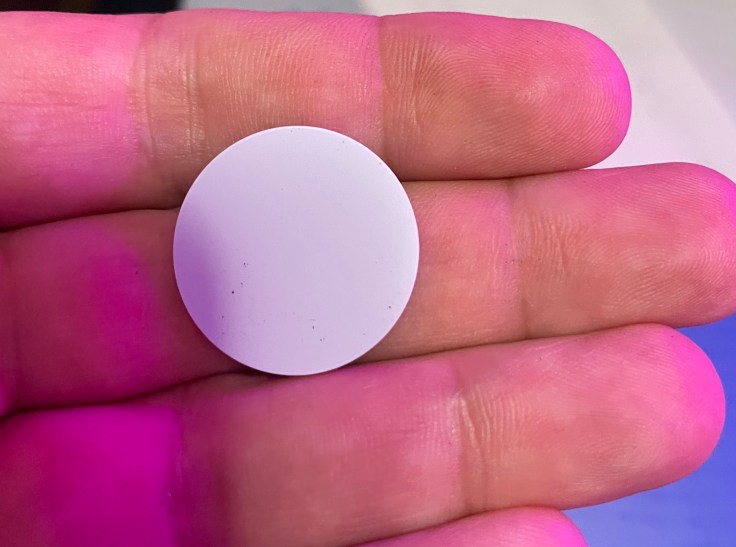
Then I remembered I had ordered these NFC tags to tinker with in Home Assistant, but haven’t really used them, so I thought, “hmm, lets make something I can just scan with my phone to see “what’s what in the pot” (I made a rhyme!).

Here’s a brief description/how to (pics below):

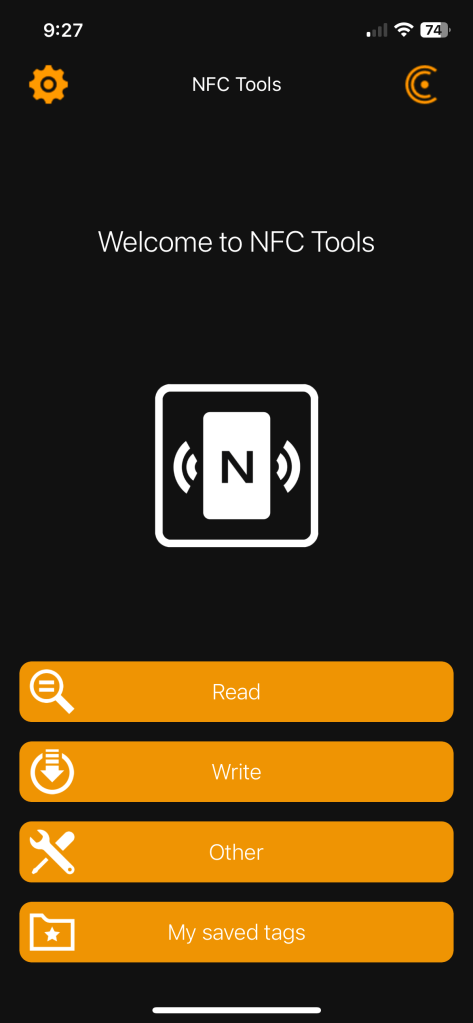
  • Install a NFC reader/writer on your phone. I use NFC Tools from Wakdev on my iPhone. *note: your smart phone needs to be NFC-enabled (be able to read/write NFC tags)
  • Open the app and you’re ready to start
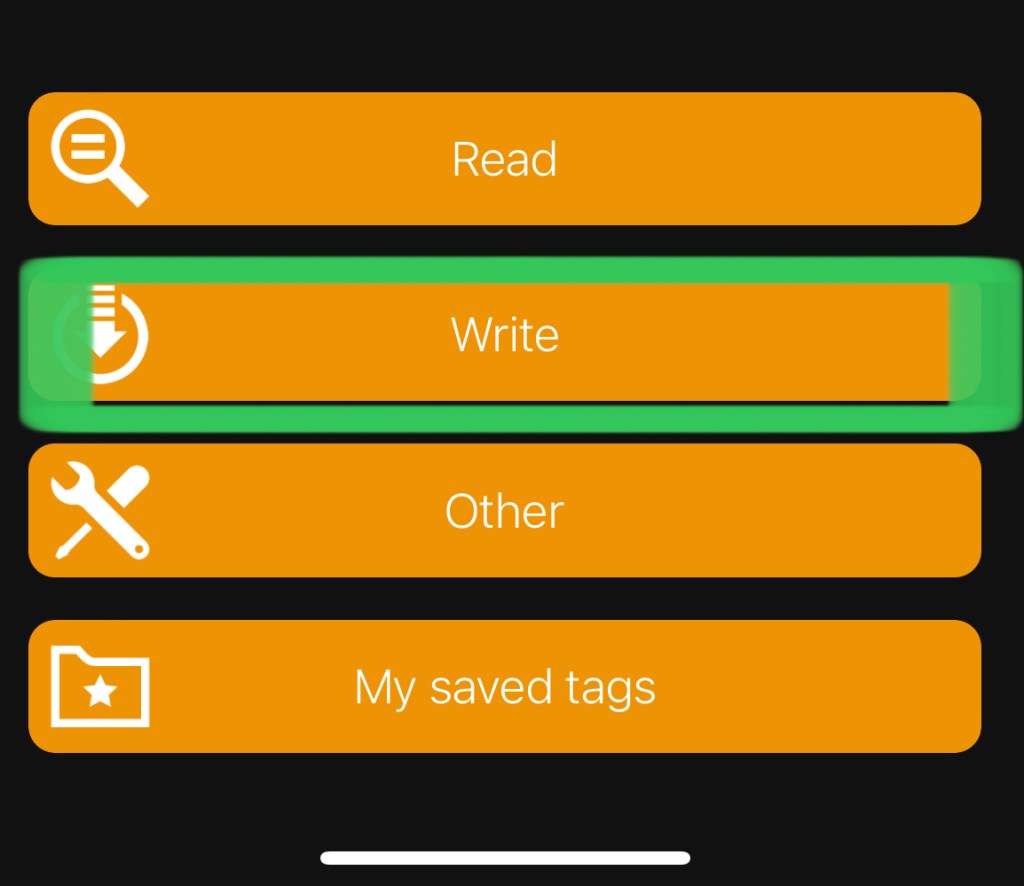
  • A menu will pop up. Select “Write”
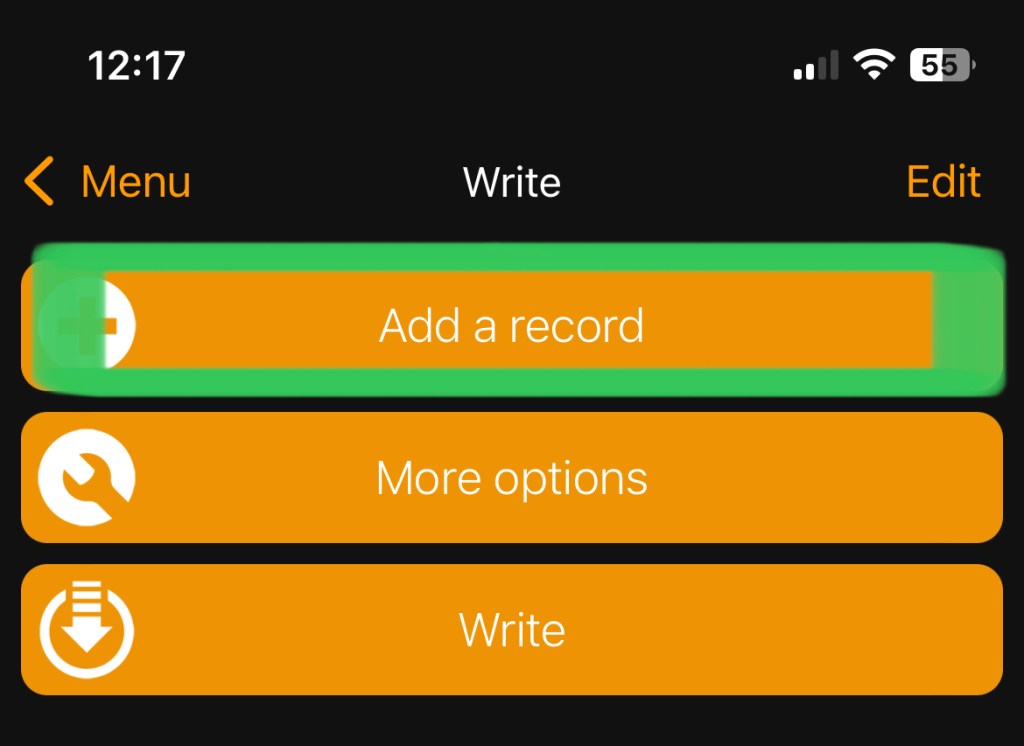
  • Another screen will pop so you can “Add a record”. Click that.
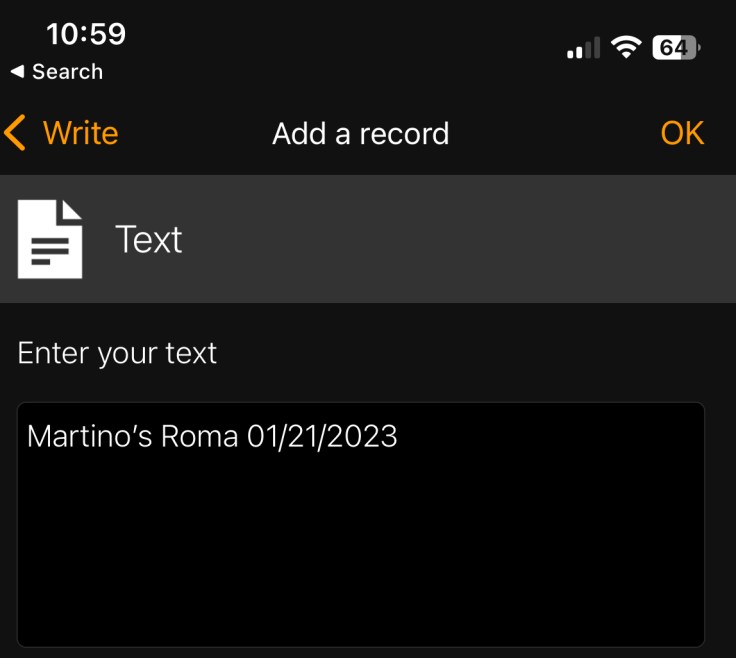
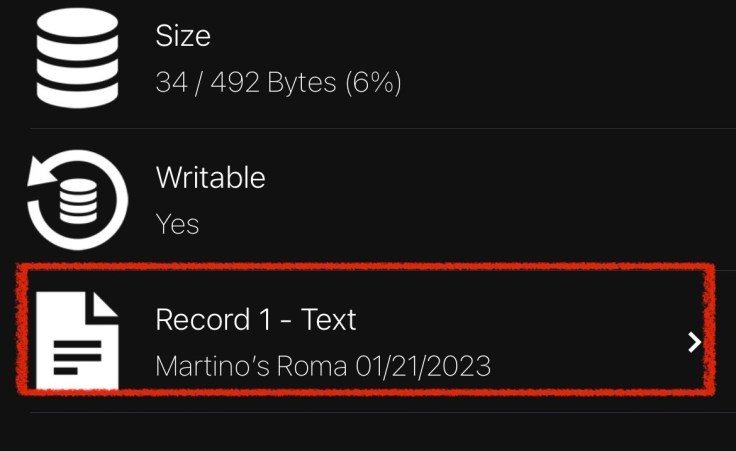
  • You’ll have a lot of choices of format, but for this, I just used “Text” to put in the plant name and date
  • Hit OK
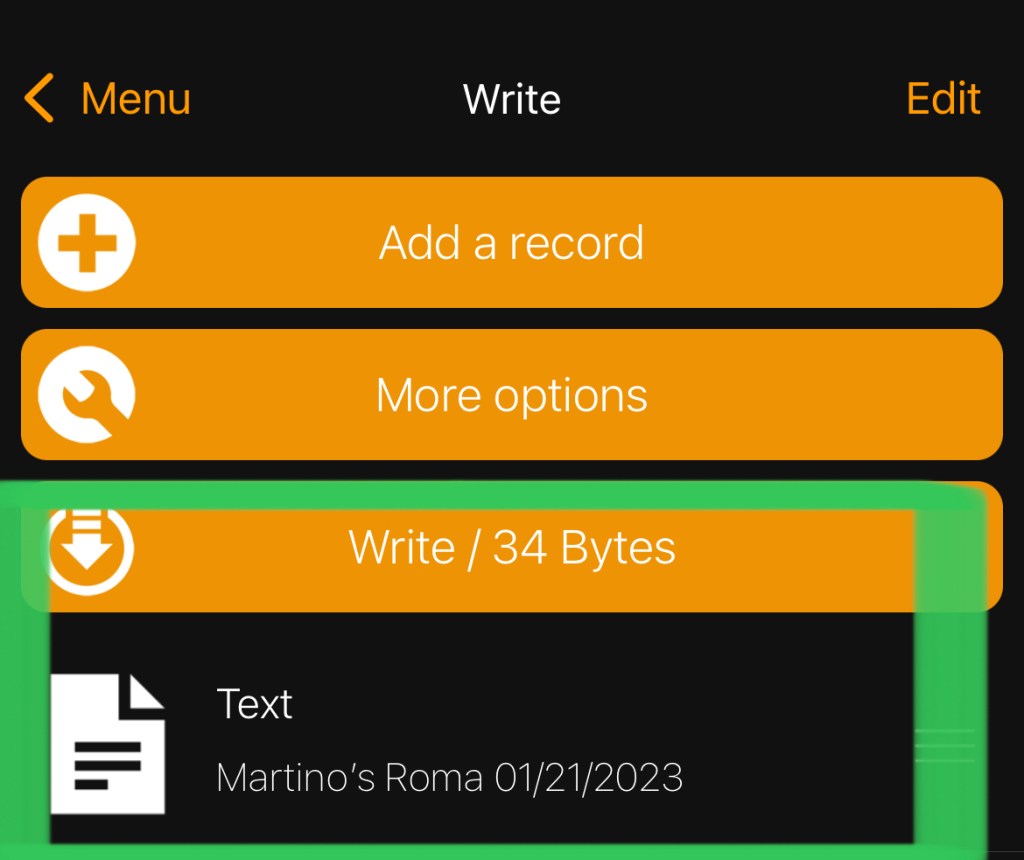
  • Hit “Write” and you’ll be prompted to approach the tag (hold the tag near the reader on your phone)
  • It’ll let you know the tag is written — you’ve created your first NFC tag!
  • I then placed the tag under the fold of the net pot I’ll plant in. Seems to hold pretty well.
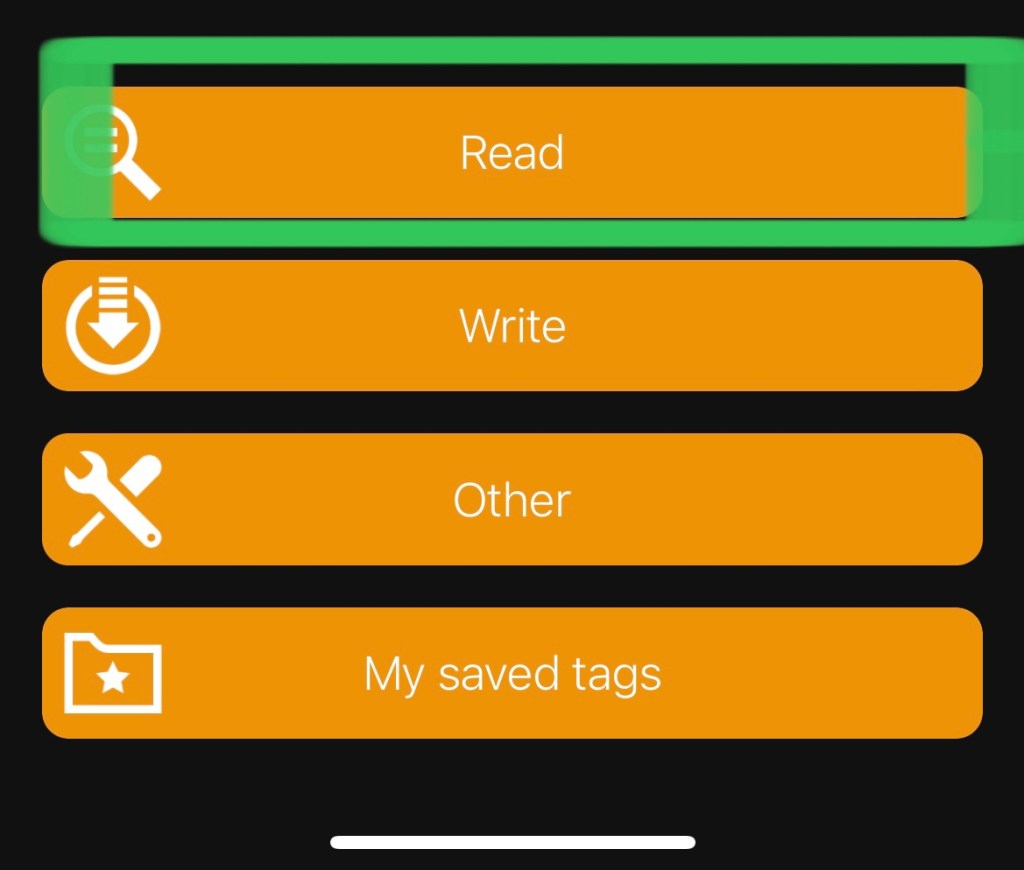
  • You can then open NFC-Tools and hit “Read”
  • Approach the tag (sounds pompous doesn’t it) and a screen will pop up showing a lot of info about what’s on the tag. you want to scroll all the way to the bottom and you can see the text you put in.

This is pretty basic, but works for proof of concept. I’ll look for a better app that doesn’t require as many steps or have as much noise to read the tag info. I think I can find a way to use it in Home Assistant, maybe with Node-Red, or maybe I’ll even build my own NFC tag reader (either are very likely to happen… someday!).

It’ll be interesting to see how they hold up and if moisture will affect the ability to read them, but for now it seems to work.

As always, I’m enjoying the tinkering with making BrummBilt garden tech as much as (probably more) than the actual gardening itself.

PermaTrack End Caps

I received my PermaTracks from RGB-Man. It took a while, but Mike at RGB-Man was good about giving me updates anytime I asked along the way.

I’m already looking forward to getting them installed, but I’m not keen on the idea of leaving the ends open, or cutting the side of the track to fold over to cover the end.

I decided that the best thing to do would be to 3D print covers for them. I’m only making a straight run (for now!), so I only needed a couple of end caps. I measured once, and like most of my designs, I’ve printed about 4 times (so far) to get a working prototype.

All designs were done in Fusion 360. I only use the personal use license (please respect Autodesk’s rules for use of the personal use license (i.e. non-commercial use only)).

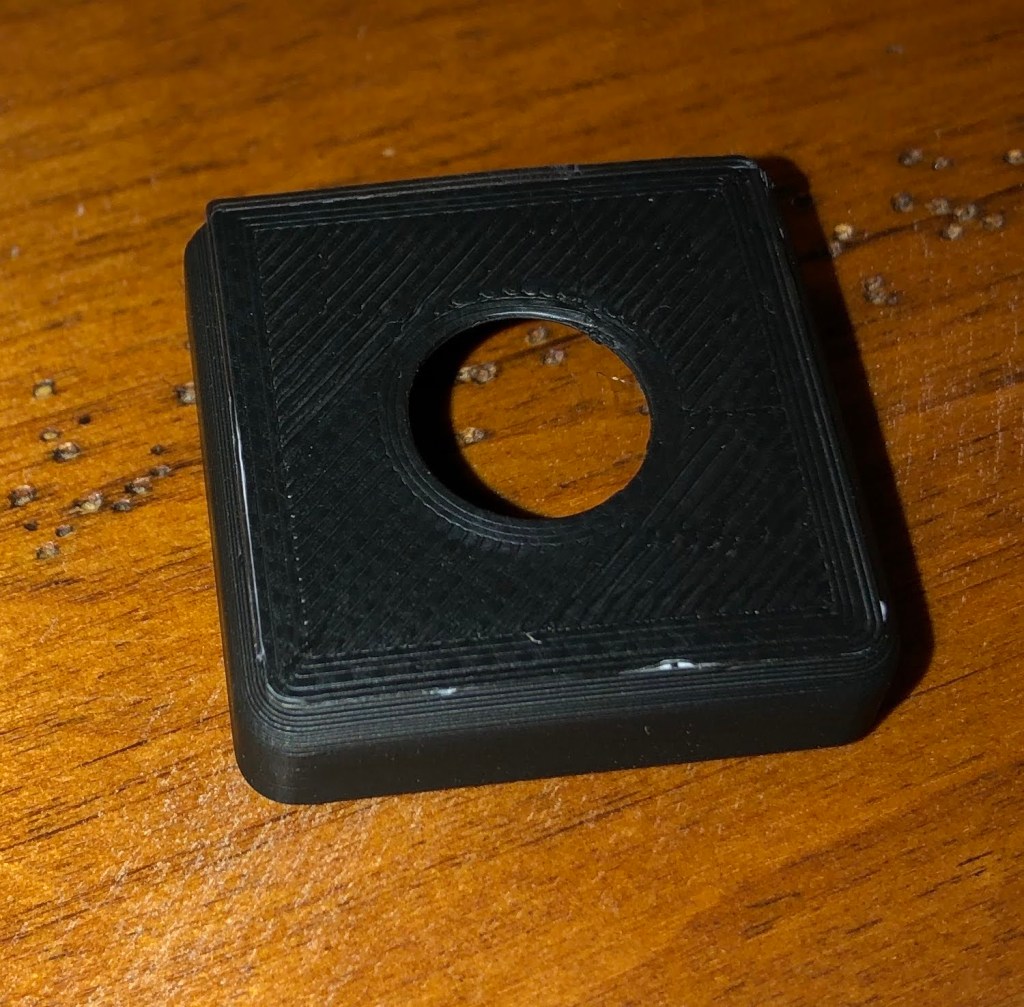
For my latest prototype, I decided to go with one I can put a cable gland in (PG7 if you’re interested in the size). The other end will be solid unless I inject power from that end. Cable glands provide a water tight way to insert power/data cables. I don’t need a water tight seal on the PermaTracks, but it will also provide a way to clean up the look as well provide some strain relief on the pixel string where I connect it.

I think it turned out pretty well, but I will do some more tweaking to get a better fit and to better secure it. Currently it is only press fit, but I have ideas for a couple of different ways to more securely attach it without cutting or drilling the tracks, though that is an option.

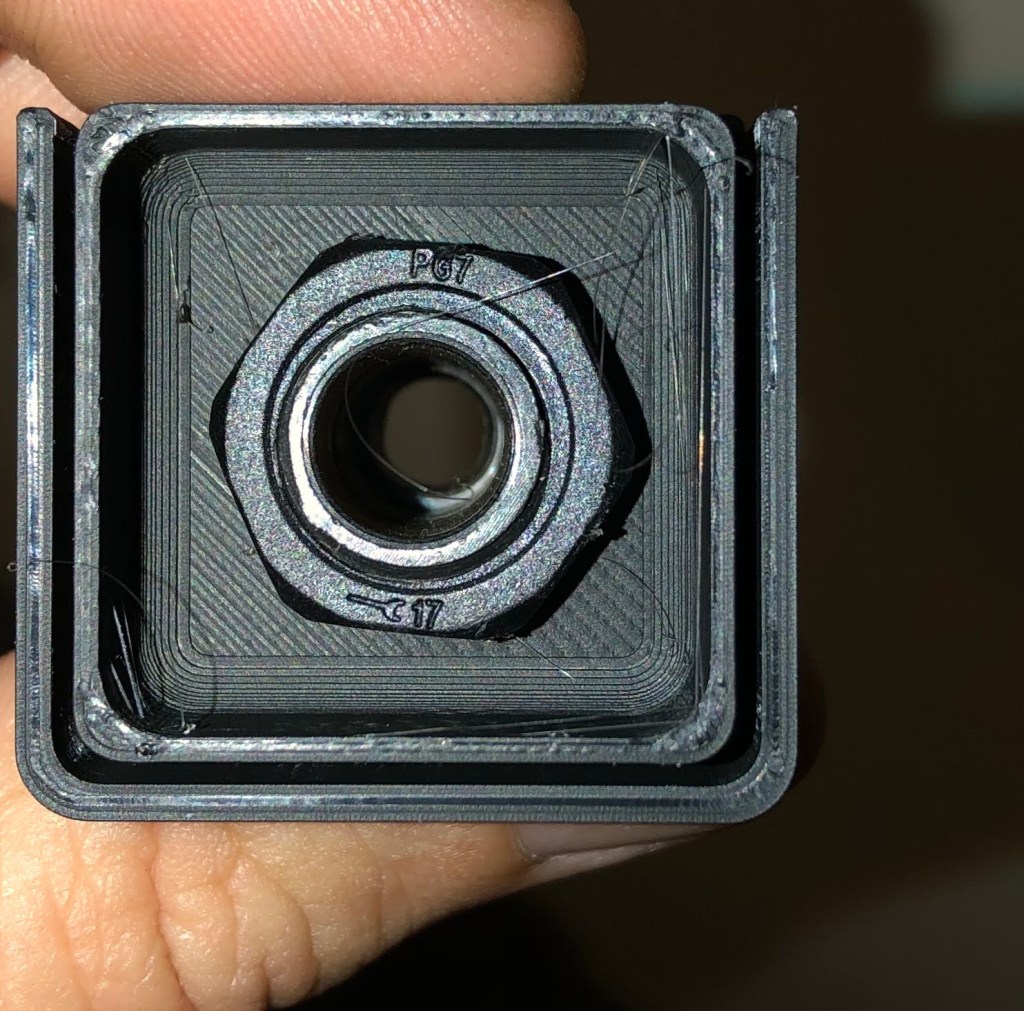
Front (exterior side) of cap without cable gland installed.
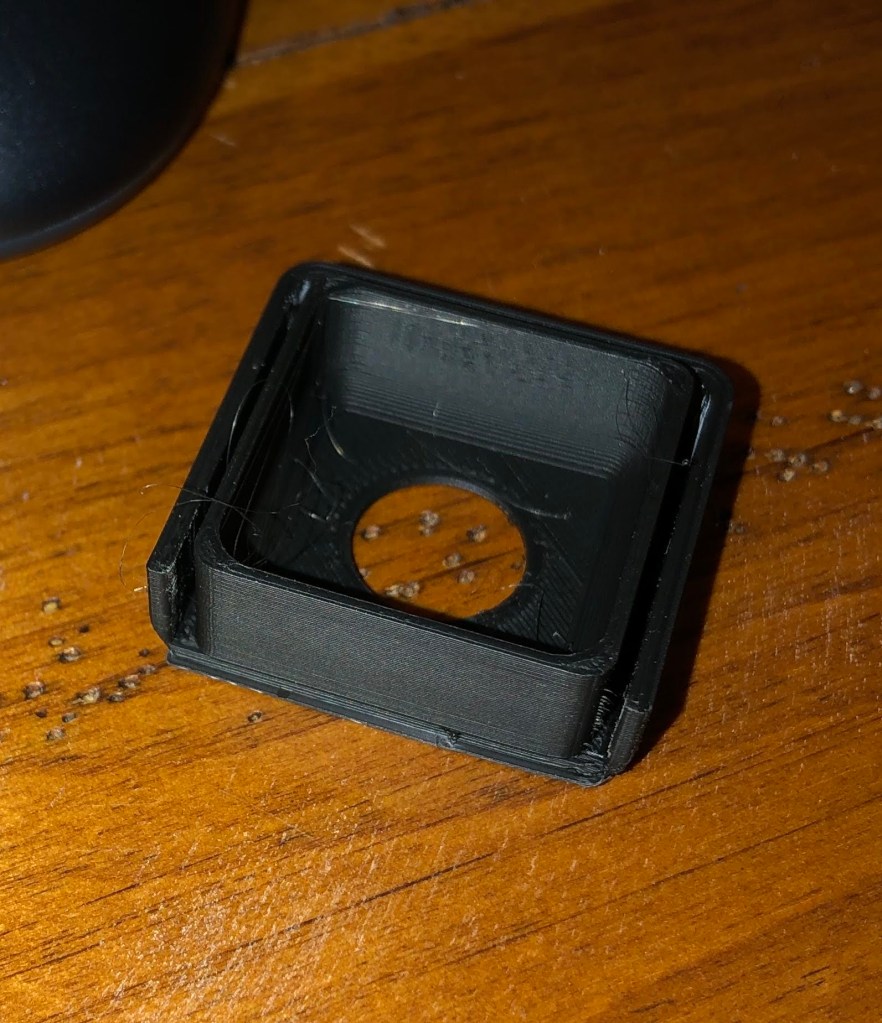
Inside of cap.
Cable gland is inserted in hole (12.5mm) and screws on from in the inside.

I need to paint the Permatracks to match my house, and I’ll paint these endcaps at the same time (ordered white cable glands that I’ll actually use – that small of an item doesn’t need to be painted and won’t “stick out” as much as the black ones given the color of my house).

Screw Printing Project Boxes!! (when you don’t have to)

I enjoy designing project boxes in Fusion 360 for my tinkering, but man do I hate waiting on them to print.

I’ve got lights and mounting hardware ordered for my permanent Christmas/holiday lights as well as a couple of other odds and ends I’ll need to get them installed.

One thing I do already have is is the Dig-Uno controller set up with WLED, but needed to get an enclosure made for it. I’ve been playing around with printing a custom enclosure for it, but never could really get the holes on the Dig-Uno to line up.

I dug through my “toy box” and found a couple of nice project box I had bought for who knows what, but figured why not use them for this (since this will be my most expensive non-garden project to date – only the best right?)

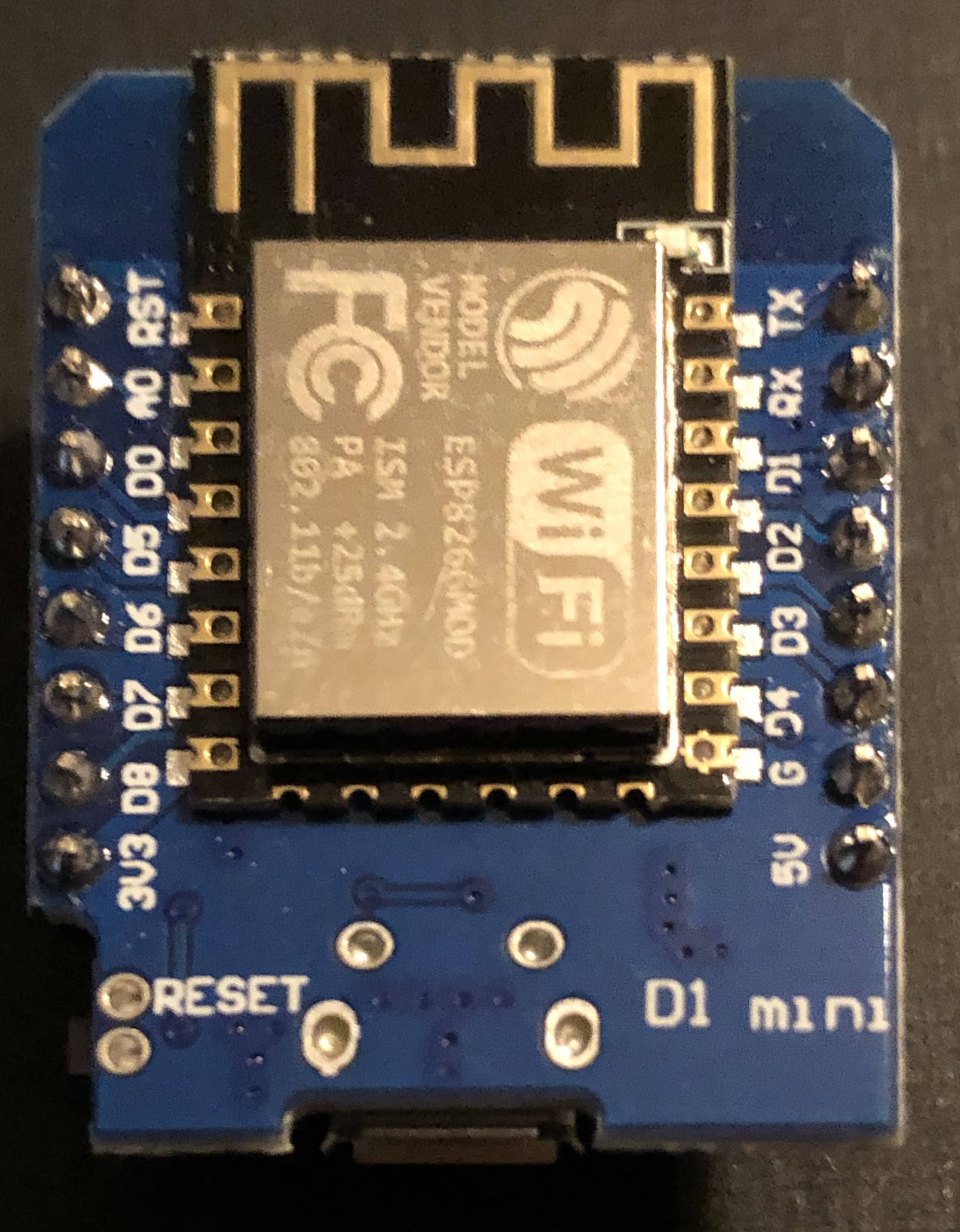
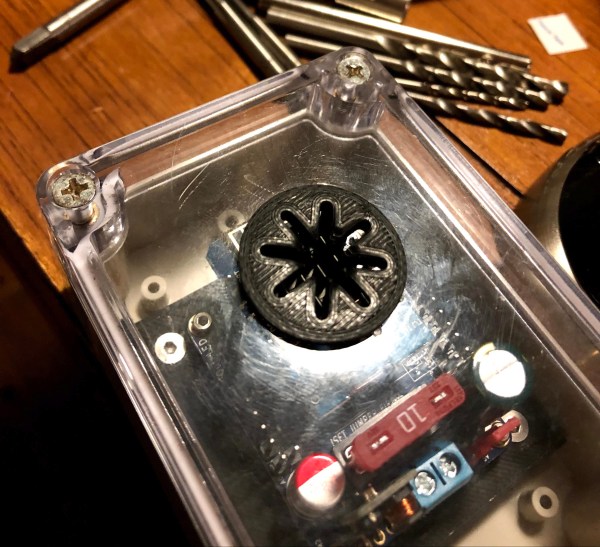
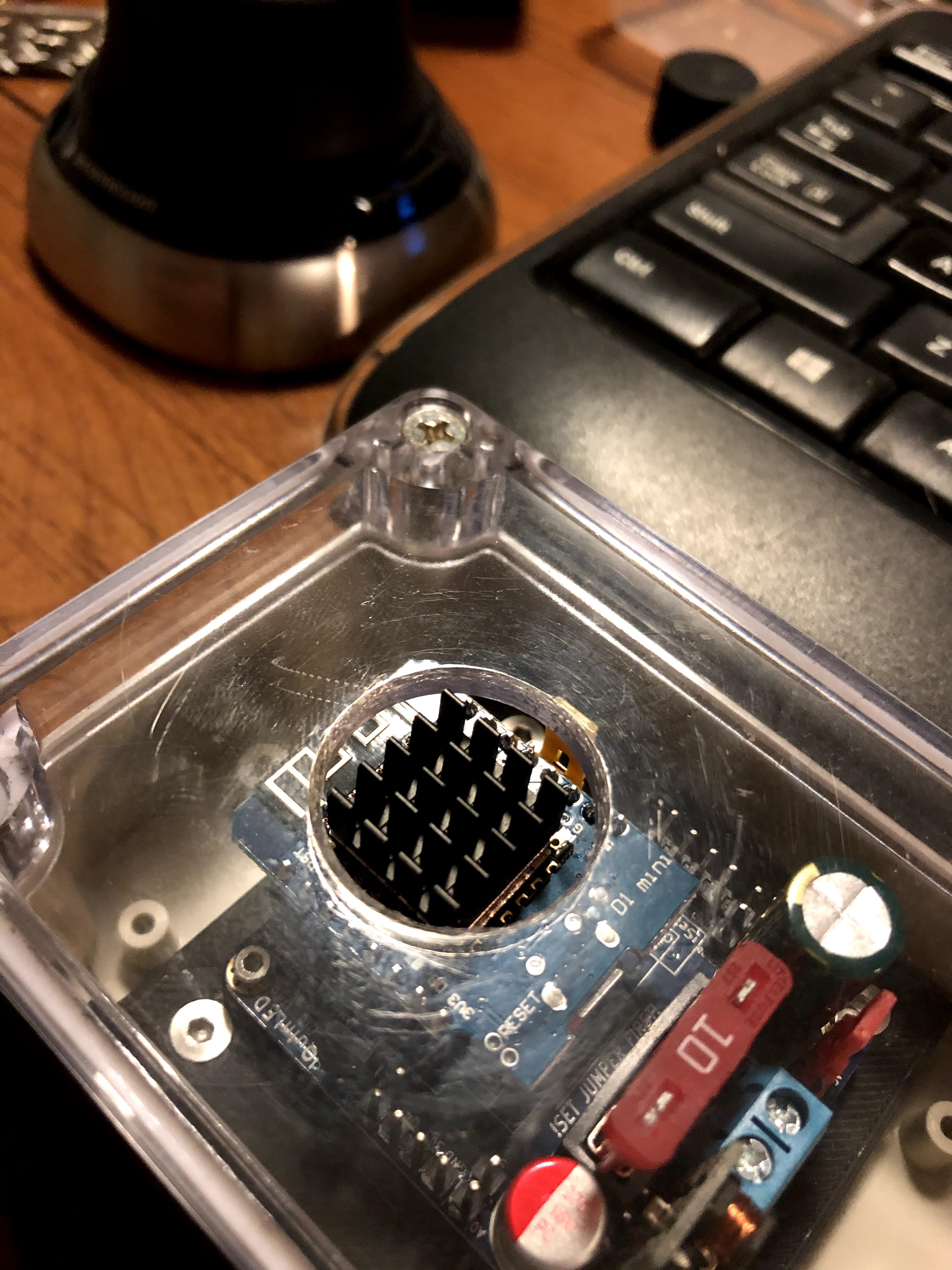
I measured the mounting hole spacing on the inside, got the hole spacing fo Dig-Uno close enough and got the Dig-Uno mounted in the box. This is a sealed project box, and I really don’t want a lot of heat build up in the box, so I drilled out a vent hole in the lid, mounted a heat sink on top of the D1 Mini and printed a custom vent cover (image at top of this post).

Once I get the mounting position and orientation figured out, I’ll drill additional vent holes in the side of the enclosure.

Oh, and my table, as usual is a mess. Fortunately, the only thing I spilled everywhere was the box of heat sinks!

Parts:

Lighting Stuff on Order:

Will post more on this project as it proceeds…

Knobs

I was visiting with a friend a few days ago and he asked about printing knobs (like you’d use on car dashboard, appliance, radio, etc.). I hadn’t thought about that before but said, sure!

I quickly drew something up in Fusion 360 and it looked pretty good. Unfortunately I didn’t keep the drawing to share here, but I did make a couple of basic knobs this afternoon just to see how they printed.

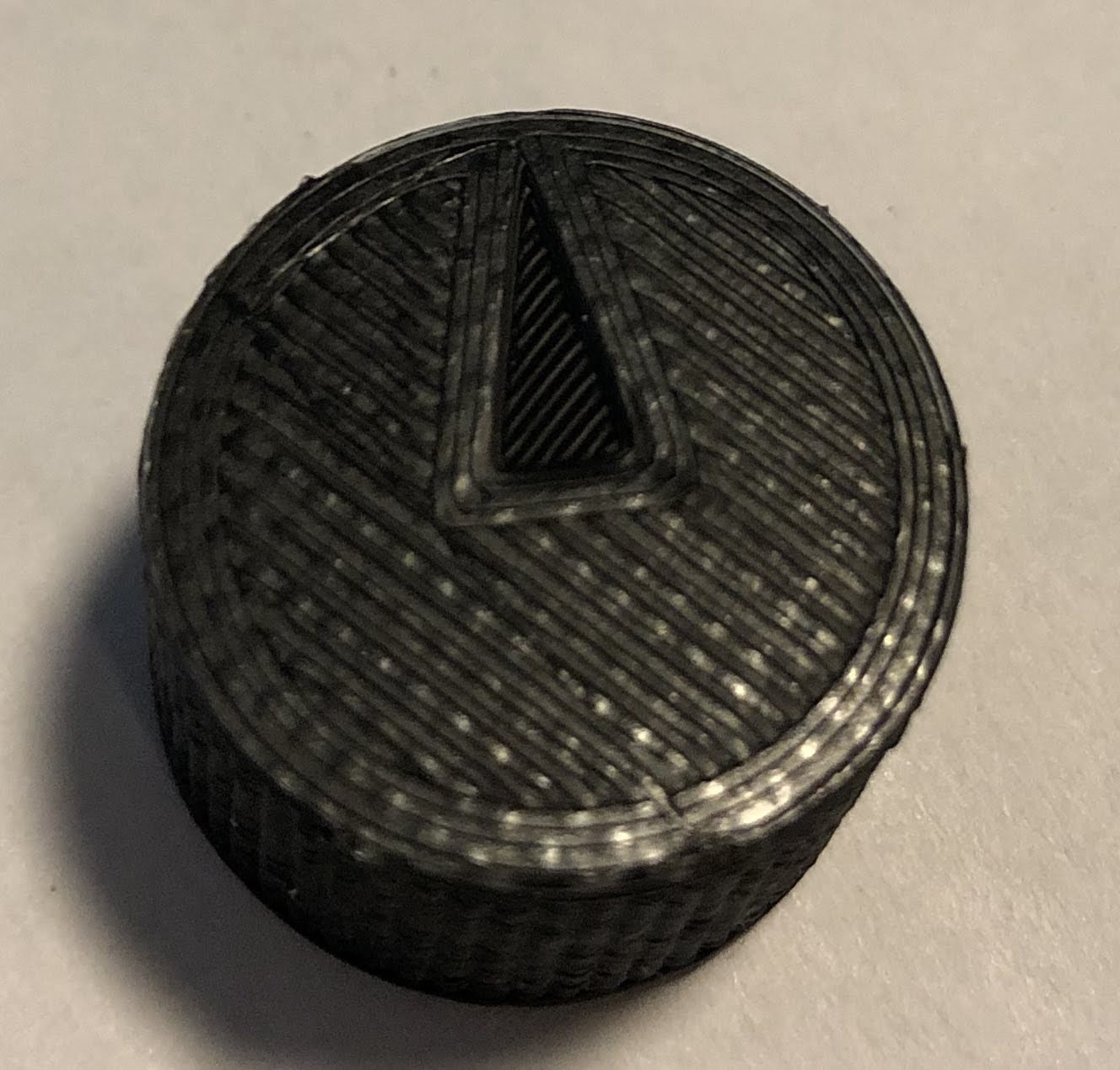
The first one was just a basic knob like you’d find on something with, well knobs. I put the flat side on it on so where it slides on the metal post it would let it “catch” and turn the device like it is supposed to. The sides were smooth and I hit them with some light sanding thinking it would show up better in the pic (turns out that really wasn’t much improvement).

Here’s the first one I printed (took about 20 minutes):

Little rough, but nothing some sandpaper can’t fix.

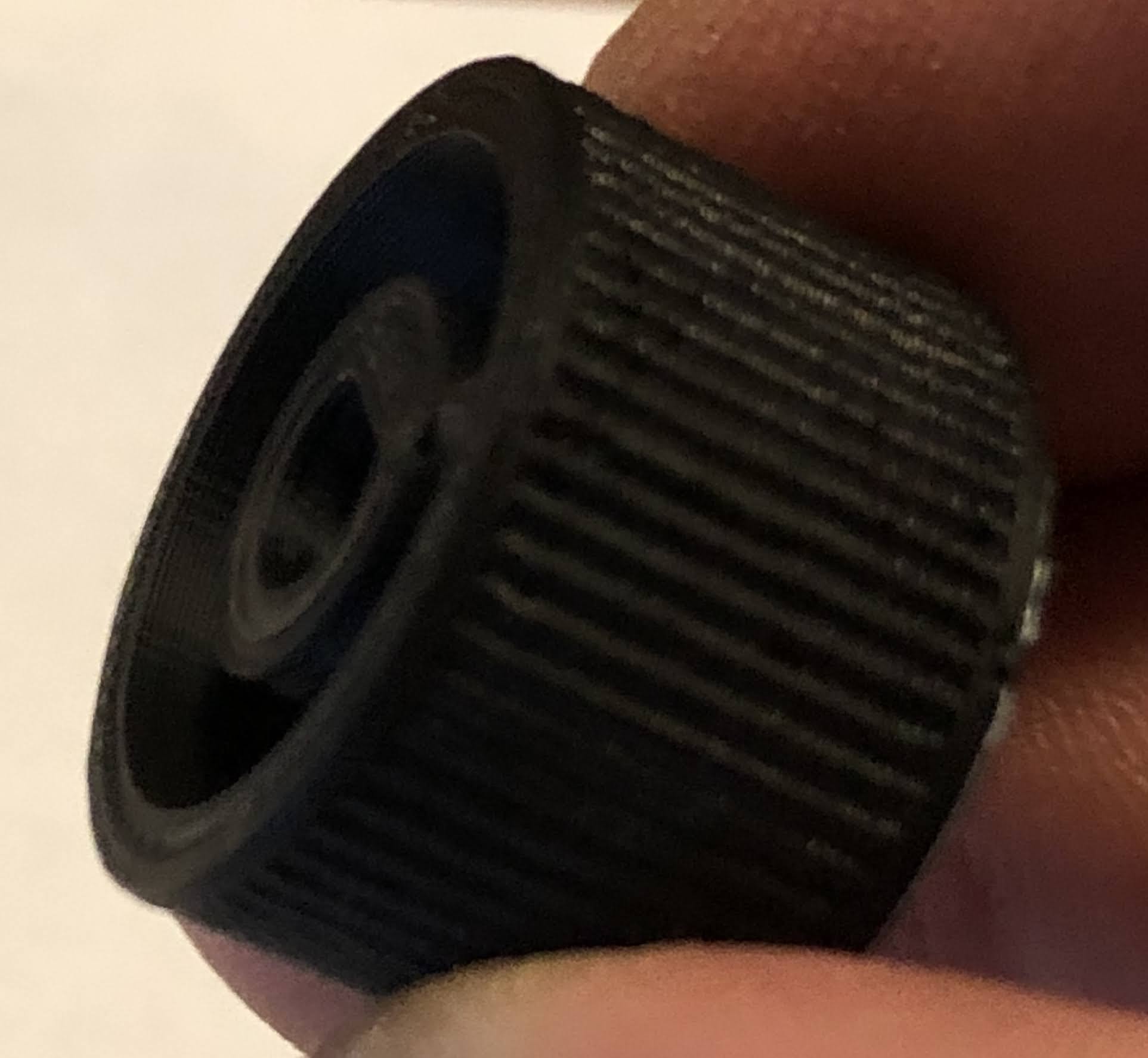
This was fine and would work (had I made to spec for something real), but the smooth texture on the outside was something I wanted to see if I could get to have a bit more “grip”, so I went back to Fusion 360 after watching a couple of Youtube videos and added some rounded ridges.

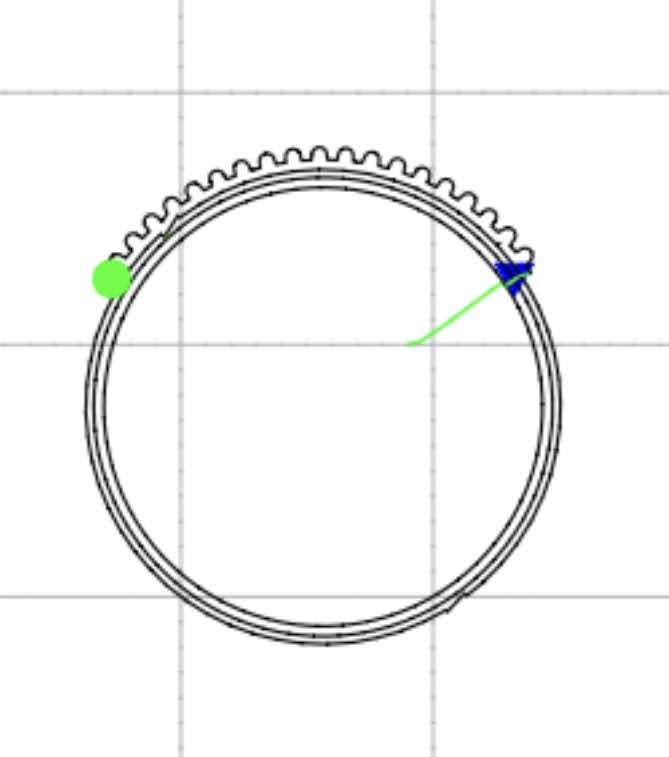
I was really surprised how well they came out. The print needs a little sanding to refine it, but that’s easy enough. The following picture shows the GCode viewer from OctoPrint while it was printing.

And this is the final product.

I added an indicator arrow (because I could! LOL)
Close up of the ridges on the outside

Now I just need to find a real-world application where I can make something useful (beyond just improving my maker skills).

Sauna or Icebox

The garage is my man cave. I hang out in here more than any single room in my house except my bedroom (when sleeping… occasionally more time in the garage than sleeping in a given day!). Sometimes it’s working on a project, and others it’s just drinking an adult beverage and listening to the radio.

The problem is in the summer it gets crazy hot and in the winter, especially the couple of cold snaps we get here in Texas the past couple of years, it’s miserably cold.

The temperature extremes are so bad because like many houses, the garage isn’t considered a living space and is not insulated. A portable heater or window conditioner just can’t keep up… at least until now.

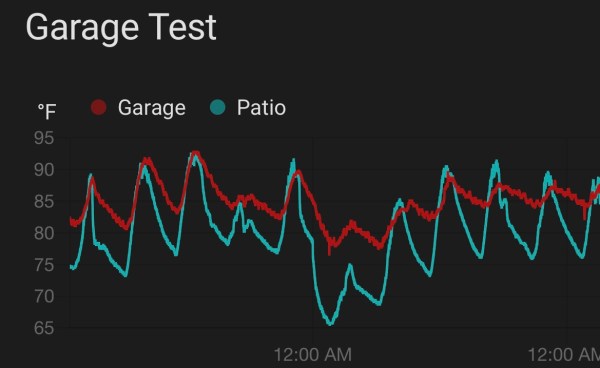
While getting some other work done on my house, I had my contractor blow about 14 inches of insulation in the attic. The graph above shows the past two weeks of temps in my garage. You can differentiate each day by the peaks. Over the past 5 days, you can see that the garage temp doesn’t swing so much from morning to evening or day to day. We’re in a fairly mild season right now so the real test will be those very cold and very hot days over the next year. I picked up a ventless propane heater this past spring during an end of season sale at Lowe’s (I’ll vent it anyway) and will be getting a window air conditioner. Looking forward to seeing how they do.

KIL’N IoT

“Kil’n It” or “Kiln Iot” (Kiln Internet of Things)

A friend of mine throws a little clay (does pottery) and has a used electric kiln with an analog meter on her thermocouple (device used to measure temperature in the kiln).

Based on my tinkering hobby, I thought a great project would be to build a digital, WiFi enabled, temperature sensor that could be plugged into the kiln’s thermocouple so she could have a digital display and be able to monitor it on her phone.

In my home automation projects, I’ve used inexpensive sensors (DHT11, HT221D, BME280, etc.) to monitor temperature and humidity in different areas of my house, patio, and shed
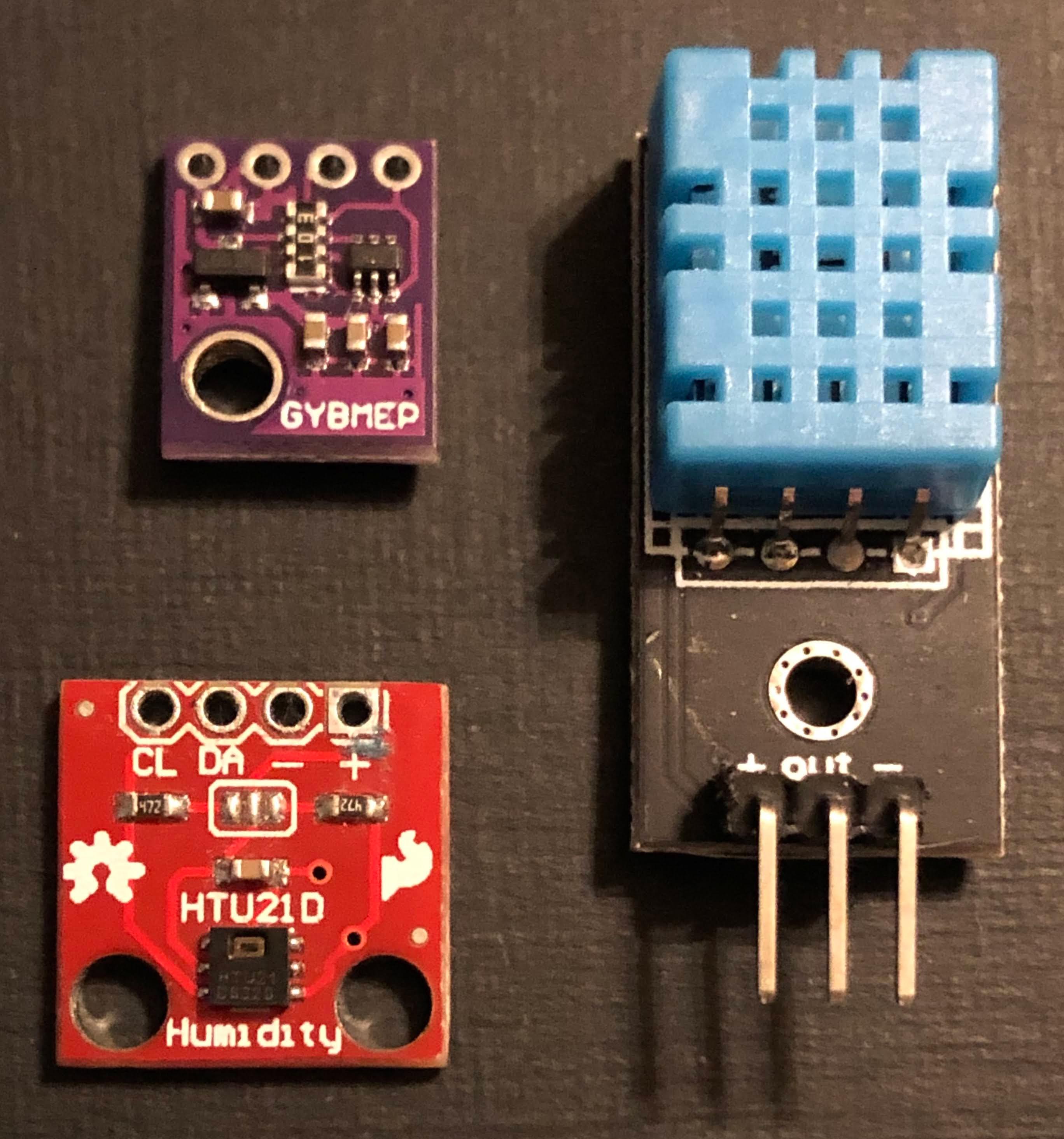
Photo of different temperature and humidity sensors.

using NodeMCU and D1 Mini microcontrollers.
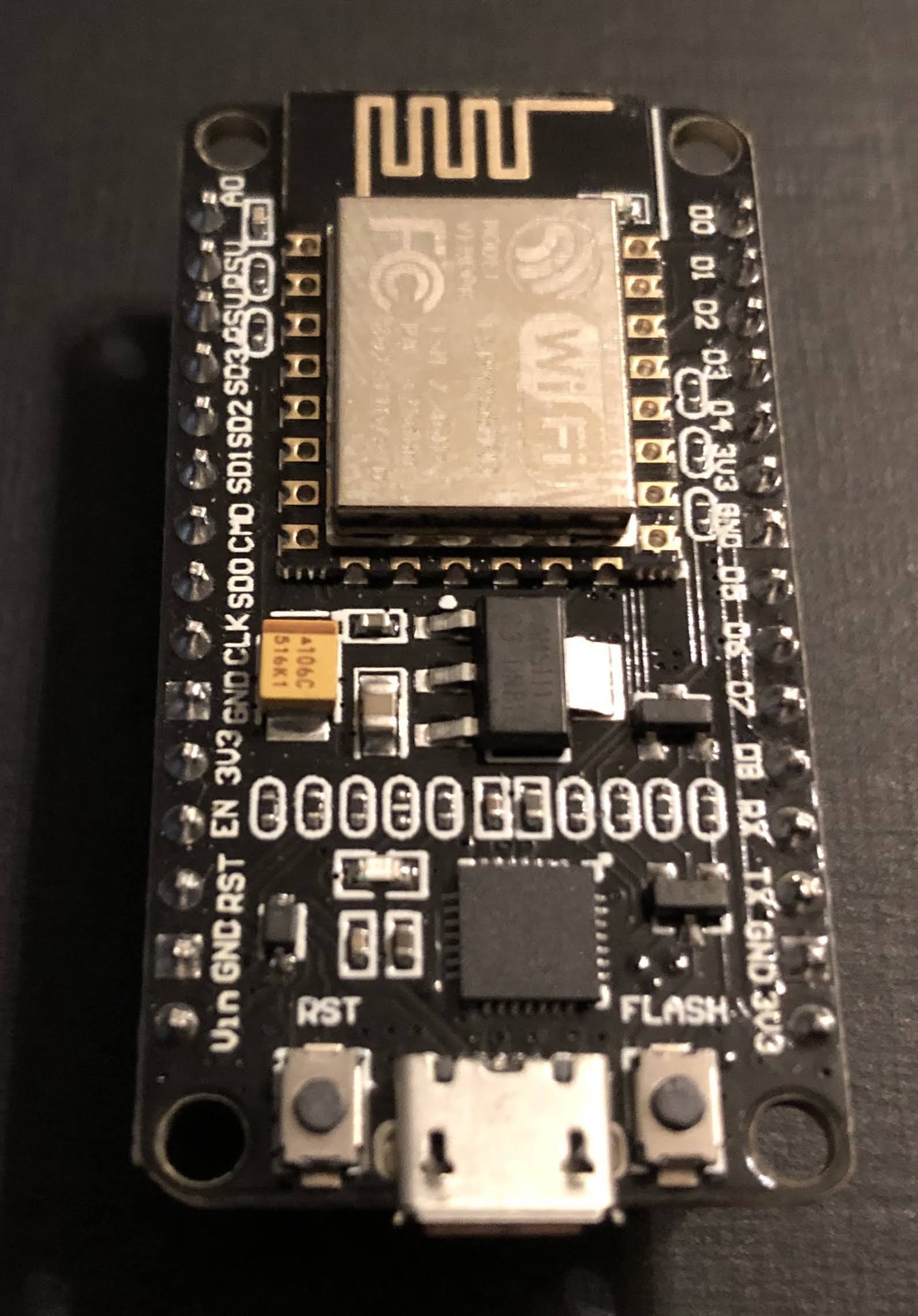
Based on my home monitoring I knew a kiln monitor could be done, but I’m measuring temps in livable environments (though it does get hot here in Texas!).

The challenge is that the sensors I use would burst into flames if you put them in a kiln! That’s why thermocouples are used in kilns… they can handle a couple thousand degree (oF) temps.

I learned that you need an amplifier to pick up this signal from the thermocouple and transform it into something a controller (with the right firmware (software)) can interpret into a temperature reading.

There are different types amplifiers (just google something like “thermocouple amplifier board”), but I went with the MAX31855. You can find breakout boards with this chip on them from a few different suppliers on Amazon.

The one I went with is from Adafruit, a NYC-based company that was only a couple of bucks more expensive than the others from companies I don’t know by name. Side note, I often buy electronics components from these unfamiliar companies on Amazon, including the controller I used in this project and the quality is often good enough for my tinkering, but if you want definitive quality, go with Adafruit.
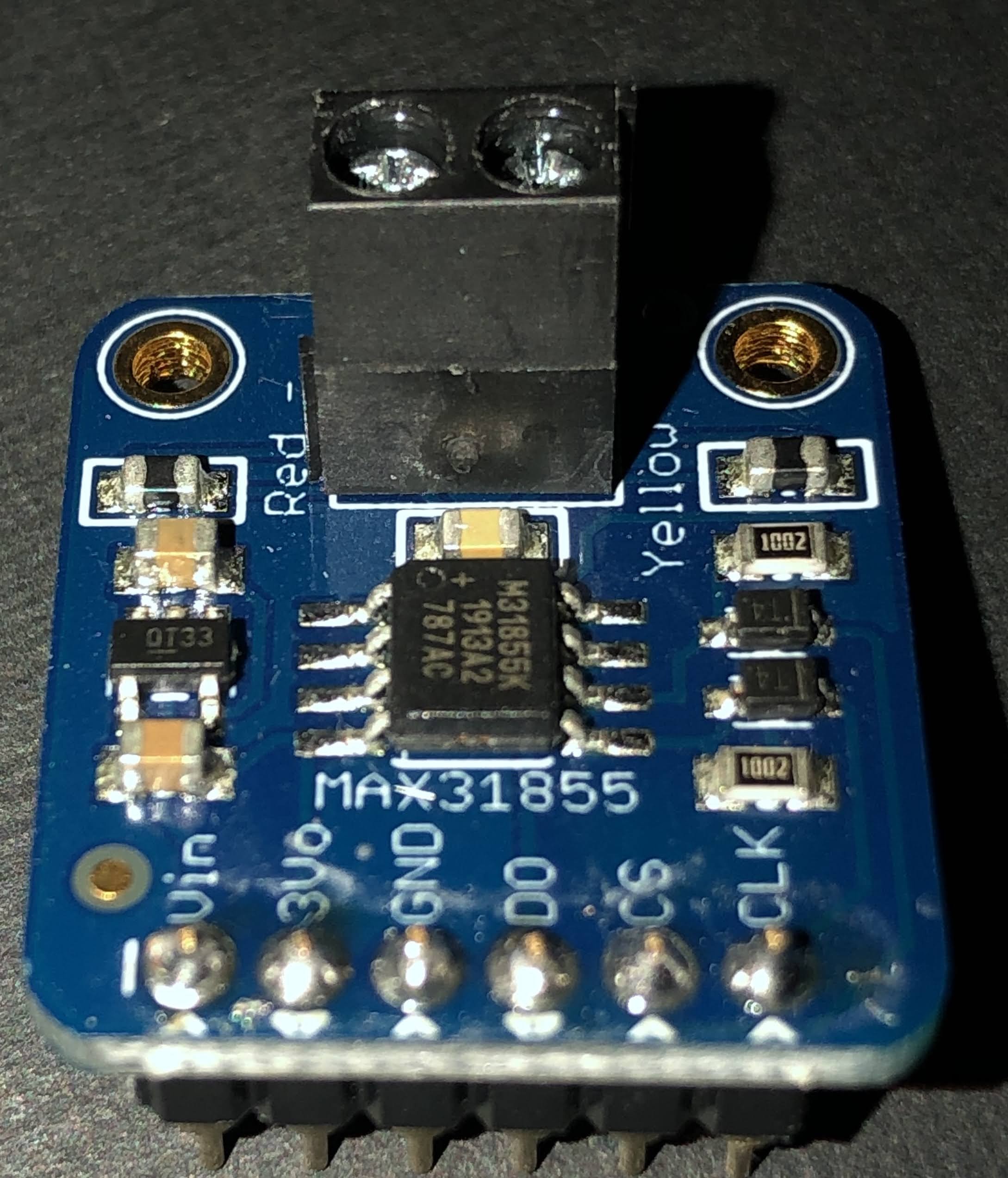
For this project I went with Adafruit because I knew the quality of this new-to-me board would be excellent and well worth the couple of dollars more.

In the first iteration of this project, I soldered female headers to a printed circuit board so I could mount the controller (NodeMCU) and MAX31855 breakout board.
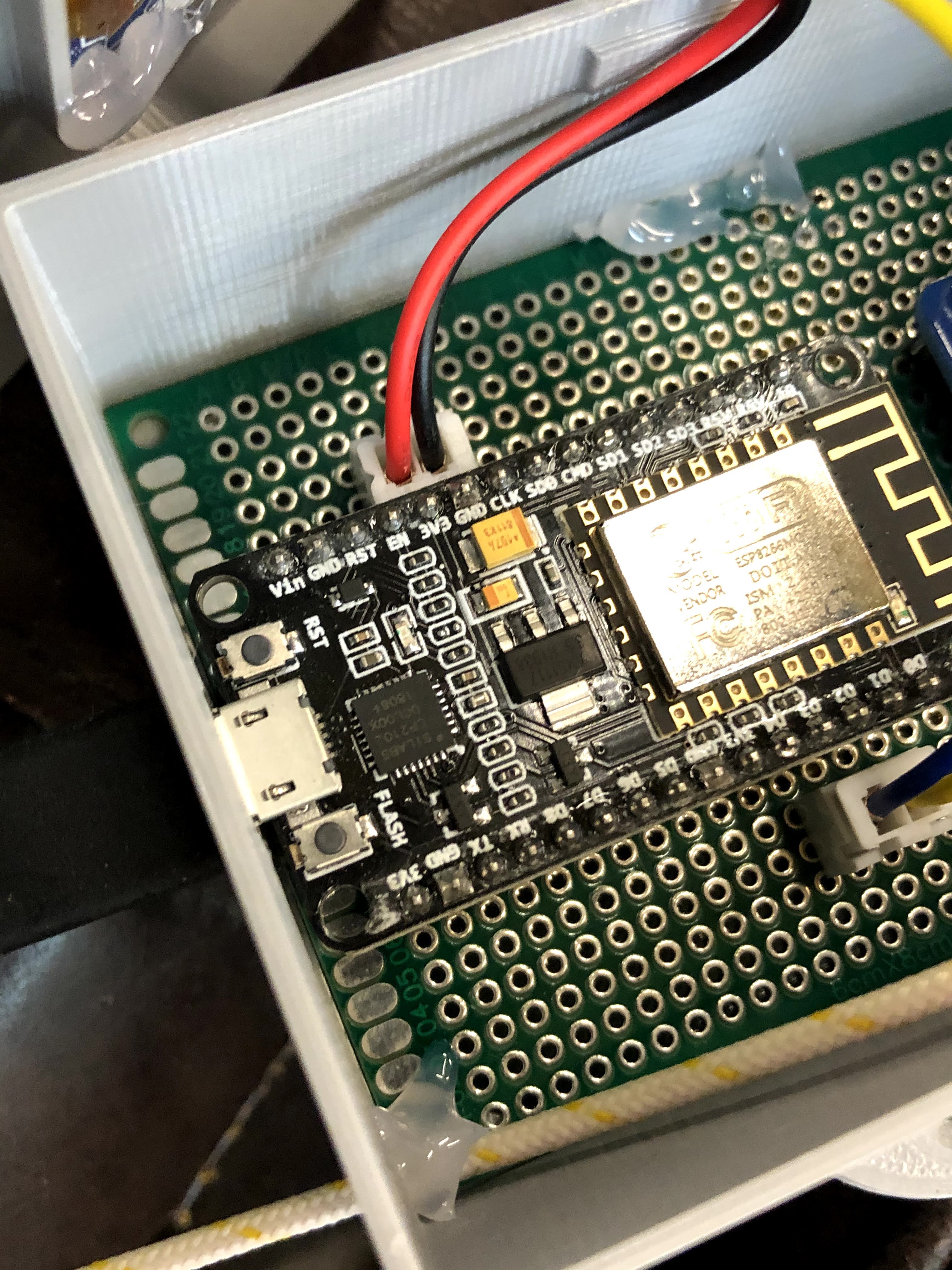
I then soldered the pins from the controller to the header for the amplifier board and connectors for the OLED display (SSD1306) (soldered wires are on the underside of the board in the pic below). I wired a thermocouple wire to the amp and was ready to program the controller.

At one point in my home automation adventures, I had the wild idea of learning to code so I could write my own programs. Through google and YouTube, I learned enough to put together some rudimentary programs that kinda worked, but I quickly realized that I was more interested in making things that work rather than getting behind the curtain and making the stuff (software) that makes stuff work. That’s when I discovered Tasmota, an excellent open source software that works with the controllers I use and can be customized for different applications. I’ve been using it almost exclusively in my projects since.

I downloaded Tasmota 8.1 for this project (the newest version at the time). In many cases, you can just flash the the precompiled binary (bin) file to the controller using a flashing tool like NodeMCU Pyflasher or Tasmotizer, but displays and the Max31855 aren’t supported in the base bin file (tasmota.bin).

This leaves a couple of options. You could flash the base bin file and then the sensors bin file and and then the displays bin file. The problem is these bin files can be pretty large (relatively speaking) and may not flash properly. You could try the lite version of the base bin file, which is pretty bare bones, and then try flashing the other two, but you may run into problems with that too.

That’s why I prefer to go a different route. I download the full Tasmota program and edit it in Arduino IDE (more recently PlatformIO). Though I’m no programmer by any stretch of the imagination, I have picked up just enough to understand a few things when looking at the Tasmota code (which is well documented throughout!).

In Tasmota, I can go ahead and set up my WiFi access (SSID and password to connect to a home network) and MQTT (so it can communicate with my home automation system (Home Assistant – another open source system that runs on a Raspberry Pi).

In Tasmota, I found the code for displays and uncommented those lines as well as uncommented the line for the MAX31855 sensor. Note: you’ll do most of the editing in the my_user_config.h file. See Travis’ (digiblurDIY) youtube video for an excellent tutorial. It is in PlatformIO rather than Arduino IDE, but the steps are basically the same, and he cleans the file up much better than I do to further reduce the size by disabling things he won’t be using. Note also that I did make one other change related to the SSD1306 display that I’ll explain in a bit.

I was then able to upload the firmware via Arduino IDE, and the controller was ready to set up.

I found the IP address of the controller since Tasmota made it discoverable on my home network. It’ll be in format of something like “192.168.1.12”, but the numbers from your network may vary. I use the Fing app, but you can log into your home router and find this too. Another way is to watch the serial monitor in Arduino IDE and it’ll show the IP address when the controller boots up.

I the put my controller’s IP address in a web browser and it connected to the controller via WiFi so that I could set up the display and temperature sensor (oh yeah, you have to first change the module type to “Generic” under the Configuration).

My SSD1306 display is an I2C device , so in the Tasmota web UI, I set GPIO4 to SDA and GPIO5 to SCL. Note that for my particular SSD1306, I had to go into the xdsp_02_ssd1306.ino file using the Arduino IDO and change the line “#define OLED_RESET 4” to “#define OLED_RESET -1” because Tasmota uses the Adafruit SSD1306 library which is designed for their SSD1306 that has the reset on pin 4. My particular display doesn’t use a reset pin, so I had to change it to -1.
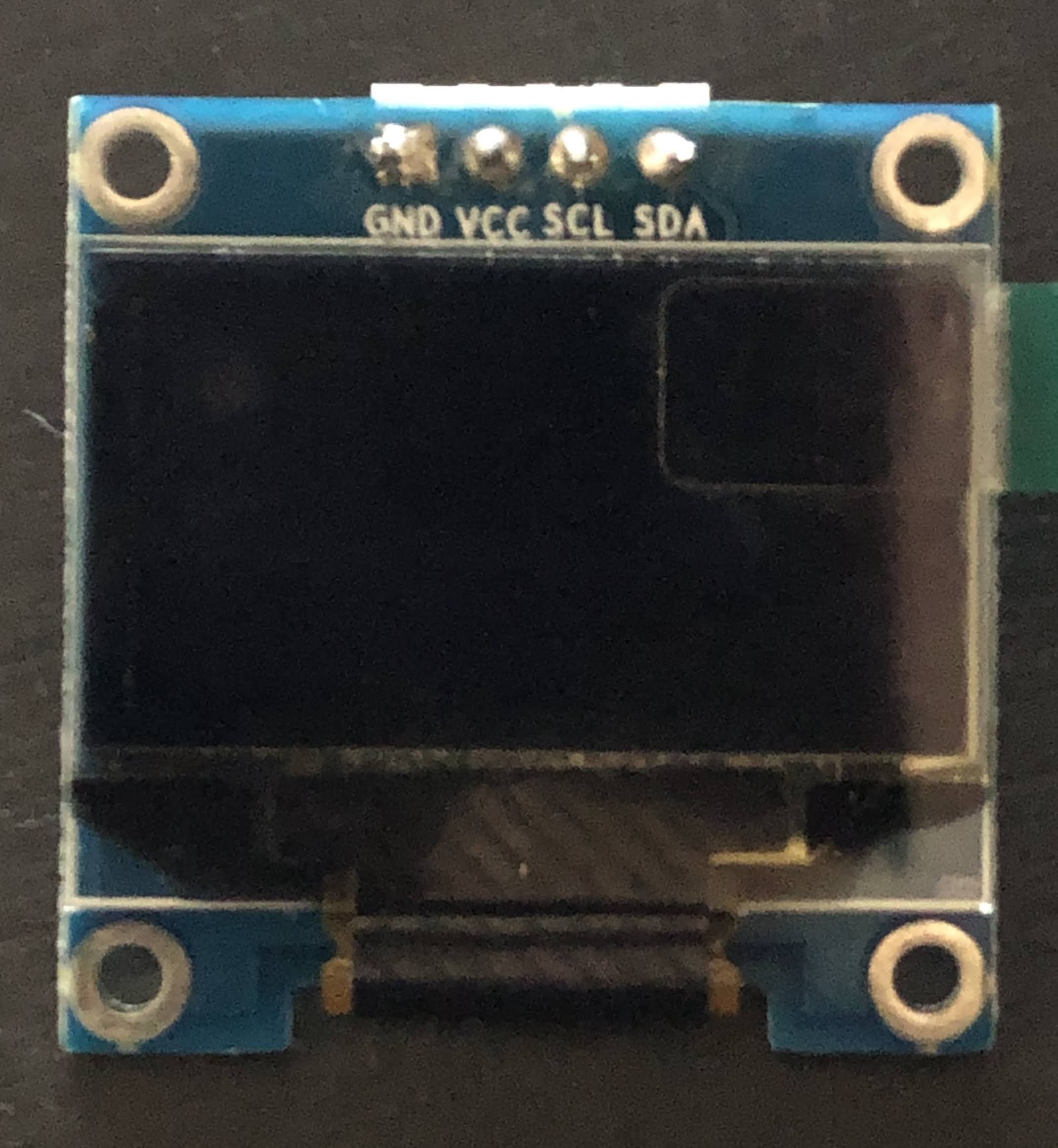
The MAX31855 is a SPI device requiring three pins (Note: in Tasmota, it’s a softSPI rather than hardware SPI, so you don’t turn on (remove the backslashes before) SPI in the Tasmota code when editing it). In my application, I use GPIO12 for CS, GPIO14 for CLK, and GPIO15 for D0.

Once I set those up and restarted it, I was getting temperature readings through the Web UI from the thermocouple I had attached to the amplifier board. The pic below is a template and has a couple of of other features enabled.. read up on Tasmota if you want to know how to do templates, but the look is essentially the same as you’ll see using the Generic Module.

To get the display to work, you have to change some settings in Tasmota. Go to the Console in Tasmota and enter the following (without the quotation marks):

  • “DisplayModel 2”
    • This sets it up for a SSD1306 display
  • “DisplayMode 0”
    • So you can get the temperature reading as text to display
  • You’ll also have to adjust the size of the text, and I created this Rule in Tasmota to do that (use the console for this too)
    • Rule1 on tele-MAX31855#ProbeTemperature do DisplayText [f2p7x15y20]%value% F endon

Check out this link for more on Display commands in Tasmota.

From here, you can see the temperature on you computer or phone (I bookmark the Tasmota IP web portal for easy access) and turn the monitor on an off using the “Toggle” button. I’ve recently found the Tasmota command: WebButton Display On/Off (or whatever you want to call your web button instead of “Toggle”… just put the name after WebButton1 in the console command line).

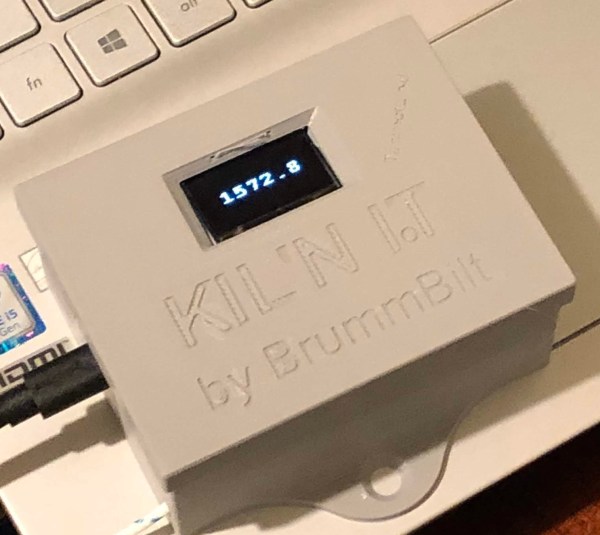
Once I had the controller set up and working I designed an enclosure (pic at top of this blog) in Fusion360 and printed it on my Ender 5 3-D printer. This took me way too many prints to get it how I wanted it, largely because I was still relatively new to Fusion 360 at that time. I won’t go into detail on my enclosure design, but feel free to contact me and I’ll be glad to share it with you… I’m working on tweaking that currently.

I did take the finished project over to my friends house and got it hooked up to her thermocouple and see the temp on the display. Unfortunately I wasn’t able to get it to connect to WiFi since where she has her kiln is in a building away from the house and they use a WiFi extender that I haven’t figured out how to work with in Tasmota yet. Maybe set up as the second access point??… other Tasmota users let me know your thoughts if you know how to do this.

She was nice enough to set me up with some free home brew (she and her husband make great beer… that Quad was incredible!), and black garlic (check out her company The Black garlic Company).

I’m still pretty pumped about making this kiln monitor since it was more complex than my household sensors I’ve made in the past. The free beer and black garlic just put the icing on the cake!

Here are some things I’m working on for version 2:

  • Use D1 Mini instead of a NodeMCU.
  • Use mini connectors so it’s easier to connect and disconnect the thermocouple (or connect a different thermocouple (for brewing or monitoring fermentation temps for example (though there are different sensors that are less expensive and easier to set up than a thermocouple).
  • Use a printed circuit board with pin holes in parallel by row (makes soldering wires from controller pins to the display connectors and amplifier header easier). Ideally, I’ll put my big boy pants on someday and design a custom PCB.

I may update this blog post from time to time, but feel free to reach out if you have any questions I may be able to help with.
Root Pouch Gardening

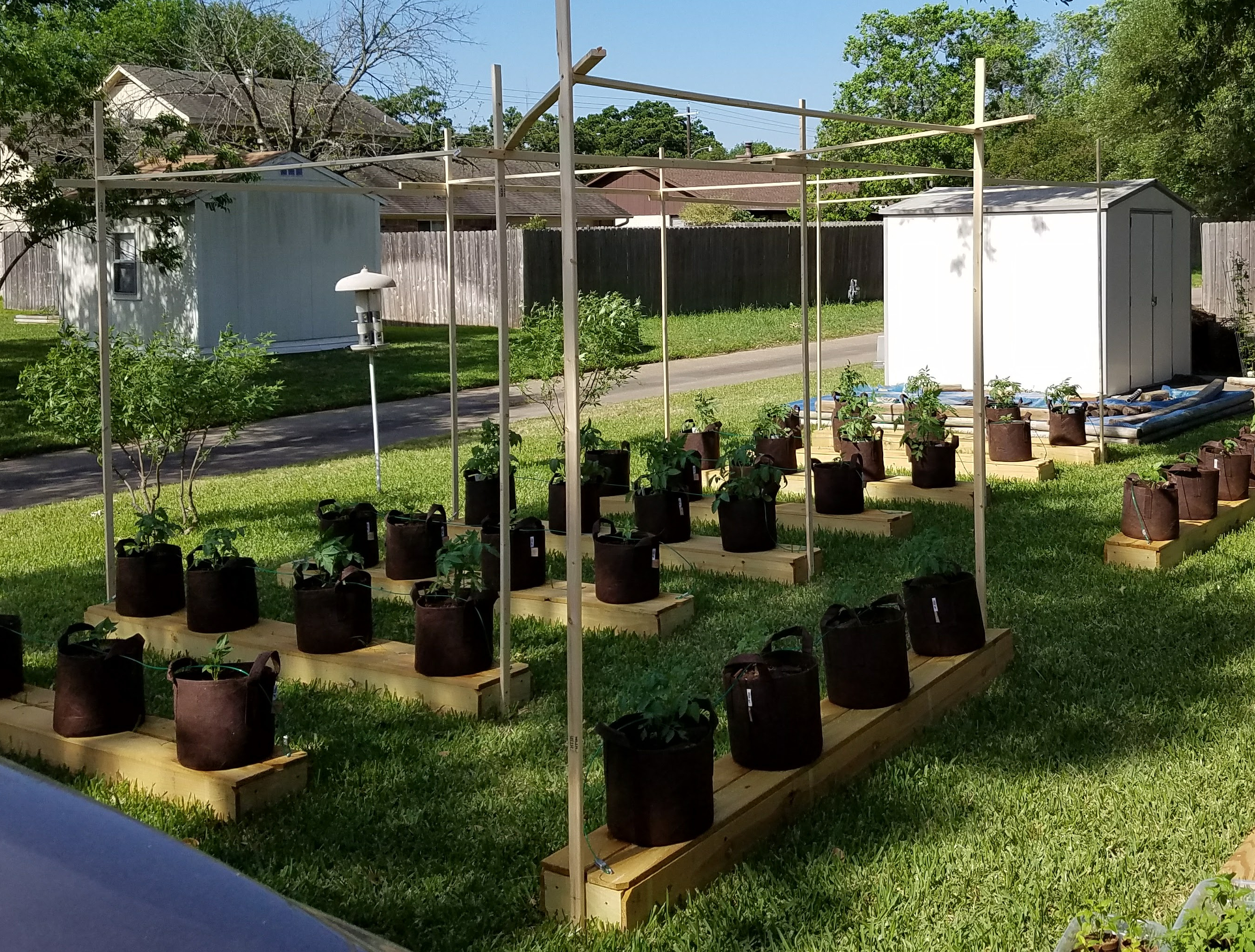
Note: I didn’t realize I hadn’t published this until now (September 6, 2020)…. several months later. About a week and a half after I wrote it, a hail storm blew in and obliterated my garden. It was looking awesome, but that just meant more greenery to be decimated (peppers and tomatoes only at that point). I may do a follow up on what it looked like and the resulting loss.

If there’s one thing I hate about gardening, it’s weeding.

When I bought my first house one of the first things I did was build raised beds. They were kind of addictive and I really enjoy gardening, however the maintenance was something I often neglected. In the off season, I’d always get lazy and grass would find its way in and overtake the beds. I’d spend a couple hours just tilling them up before I could plant.

I bought my current house just over four years ago. It came with one raised bed on the side of the shed. The first thing I did (with friends help) was work it up and get it planted. It did mediocre… too shallow, too much shade, and soil wasn’t that great. The next year, 2017, I said no more. No more raised beds that is. I still wanted to garden.

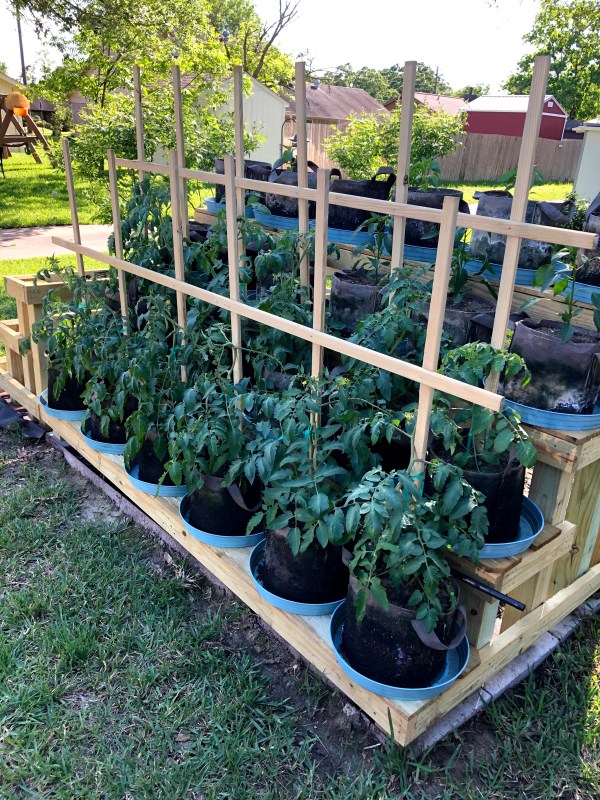
Checking out container gardening on YouTube I came across Root Pouches.

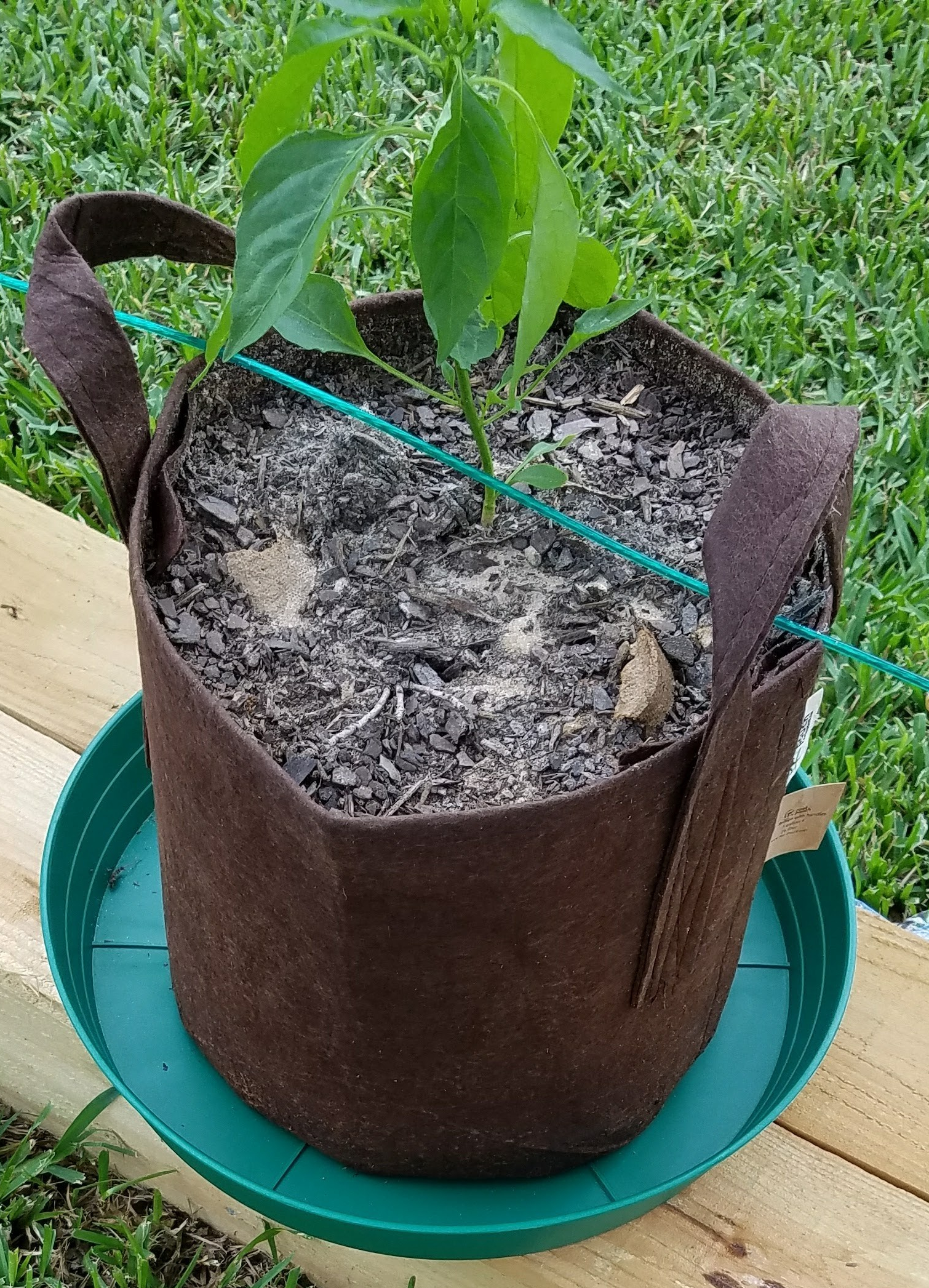
Root Pouch is a brand name for non-woven bags that you fill with soil and plant in. Plenty of videos out there touting their “air pruning” advantages. The theory is that as roots grow they reach the interior edge of the air-permeable pouch and the air stops the roots from growing outward and wrapping around, yet they remain viable and make the roots more efficient in taking up nutrients. I don’t know if that’s true or not, and I have seen one example of it in a small (one gallon) pouch I had chives in. Whether the theory is true or not, it was a pretty cool effect.

I went online and purchased 20, five gallon pouches. I got the non-degrading ones. They make less expensive ones that say they’ll last somewhere between 2 and 4 years if I recall correctly. Got them in in just a couple of days, got some soil, and spent an evening planting peppers and tomatoes. I liked them from day one.

One issue I had was that I didn’t want to just plop them on the ground. I wasn’t sure whether they’d hold up with direct ground contact even they were the non-degradable ones, and I didn’t want to tear them up weedeating around them.

This got my utilitarian/creative mojo going. Went to Lowe’s and got some treated 2×6’s, fence pickets, and nails. A few hours of cutting and nailing and I had some good looking platforms built.

I was new to the neighborhood, and didn’t want someone driving through the alley to stop and drive off with my garden. Back to Lowe’s I went. Got some plastic coated cable, cable clamps, and eyelet screws. The idea was to attach the cable to the platform and string it through the pouch handles.

It worked, but was a pain in the ass especially when I later broke the garden down and stored everything off to the side of the yard over the winter. I later realized the chance of theft was low and if someone wanted to swipe my pouches, the cables were of little deterrence. I didn’t use them after the first year.

While putting everything together that first year, I came across some heavy duty green plastic trays to set the pouches in on the platforms (see image above). The videos I had seen said these helped with water retention (root pouches get good airflow and will dry out quickly). I ordered 20 and set them under the pouches. They worked great (and looked cool).

Before I got the first 20 done I had already decided I wanted more. Back to Amazon and Lowe’s I went for 20 more pouches, trays, and materials for platforms. Next thing I knew I had taken up most of my back yard with 40 pouches on 10 platforms.

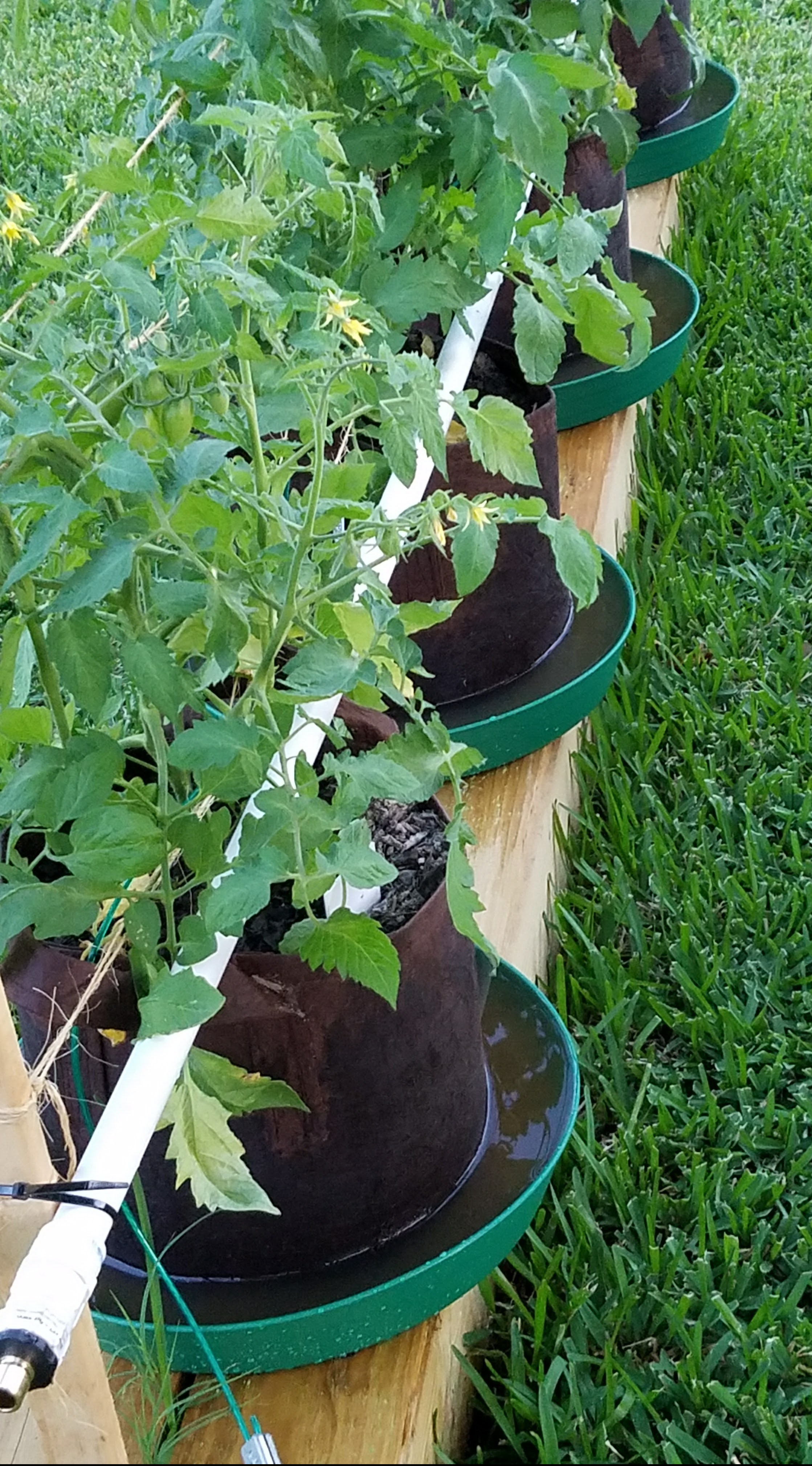
Things went pretty well, except it took way too long to water each one individually via hose, so I began building the first iteration of an irrigation system. In the first two years I was able to hook hoses up to pvc pipes with holes in them on each platform, The watering time went from about an hour and a half to about 10 minutes.

Last year I built an automated system that was awesome. Working on a new iteration this year for the redesigned garden. I’ll write a separate blog on my irrigation adventures.

Over the past three years I’ve learned a lot about gardening in root pouches:

  • They will get weeds in them, but are very easy to keep under control.
  • The trays enable watering from the bottom (works better on tomatoes)
  • Cucumbers don’t do well (May try again someday)
  • Algae can grow on the outside of the pouch, but easy to blast off with a hose
  • They do dry out quickly on hot Texas days
  • Really easy to take care of the plants, but mowing and trimming around the platforms gets old very quickly
  • Plants are limited to more upright things (I had built a trellis for the cucs) so melons, squash, zucchini are pretty much a no-go with my setup

Like anything there are down sides, but I’ve gotten better at using them over the past three years.

I did buy some one gallon pouches for herbs. They worked ok, but I didn’t have an irrigation system on them so they did get neglected. The chives I mentioned previously are the exception. They overwintered outside and the second year really took off.

There are pluses and minuses to root pouch gardening. I enjoy the challenges of trying something different and seeing how much better I get at gardening with them from year to year.

I’ve got some pretty cool things going with garden setup changes this year and will make a separate post about Garden 2020 (big hint in a pic I added to a previous post).

3D Printing

With all the grand home automation ideas I had as I got into making my own controllers, sensors, and whatnot, I needed something to put them in or to mount them to something. Plastic project boxes are great, but I found that they were too big, too small, or just not the right thing I was looking for. Several of the YouTube channels and Facebook groups I was following for the electronics related projects had custom 3-D printed enclosures.

This sparked my interest in getting a 3-D printer, but my initial thought was, “man that would be expensive.” As it turns out, they’ve gotten really inexpensive (relatively speaking). Through online research, I decided to go with a Creality product.

Creality makes several different models, and I had settled on the Ender 3. At the time, it was about $250 and the size of things it could print was more than enough for my needs. Just as I was about order it, I found the Ender 5 with a larger build plate (the economist in me tells me more is better, right), but the additional features and improvements are what convinced to go that route. It was about $350, and I think the advantages of the 5 over the 3 justified the extra cost.

I ordered it from Amazon, got it shipped in a couple of days, and it took about and hour and a half to assemble… decent directions but I kept going back and forth between the printed instructions, online assembly videos, and actual assembly. I could probably do it in half that time now. Got it all together, plugged it in, and… nothing! Went back to the instructions and saw where the power supply had a switch for European or US power. Of course it was on the EU setting. Flipped it to US and hit the power switch… success!

I leveled the bed per online instructions, loaded the filament, and printed a couple of the test items that were on the microSD card that came with the printer. Next I was out to find more useful things to print. Fortunately the 3-D print community posts a lot of free designs they’ve made on Thingiverse. I printed a few of different boxes for some controllers but found that most didn’t work for my model/manufacturer of controllers.

I googled around and found a few free online tools where I could make my own basic boxes, but these were pretty rudimentary. I needed better.

I came across Fusion 360 from Autodesk. They offered their product for FREE! to hobbyists like myself for no commercial purposes. Freaking Awesome! (If you get into Fusion 360 and use the free license, please follow the rules… they don’t have to offer it for free to hobbyist and folks like me using it for personal non-commercial purposes).

The learning curve was pretty high at first since I had zero experience, but through perseverance, a lot of cussing, and online videos, I’ve got fairly good at meeting my needs. What took an hour a year ago I can now do in ~15 minutes.

One of the biggest challenges was similar to what I experienced with Thingiverse. I’d get the dimensions close much of the time, but not quite perfect. It helped to go from a ruler to a digital caliper, but over time I’ve learned the tolerances of my printer and can now (usually) compensate for the tolerances in my designs.

I’ve also made some upgrades to the printer. Pretty basic stuff you can learn more about through YouTube searches so I won’t bore you with those details. However I will note that I’ve also added OctoPrint (free software) that runs on a Raspberry Pi connected to the printer. This lets me monitor and control the printer over WiFi. I can also add a camera to the Pi if I ever get around to it. Beats running back and forth to and from the room where the printer is set up.

I’ve tried to leave out a lot of detail of the trials and frustrations I’ve had to keep this post fairly short. Let’s just say I’ve bought 2, 1kg spoils of filament over the past year and just weighed the failed prints (bad designs and printer errors) It came in at about 1.5kg, so that’s 75% waste. Well, not waste really. I learned a lot. That amounts to about $30 total. What I’ve learned in the process is much more valuable.

All in all, I’d say this is one of the best, most fun investments I’ve ever made.

Origin (part deux)

So the Echo Dots and zigbee controlled lights were making my home smart, but I have a couple of lamps that were getting jealous.

I had picked up a couple of puck-style touch switches at Lowe’s a couple of years ago that I could plug the lamps into and turn them on and off using the pucks. Touch the puck for on, two more taps to increase the brightness, and one more for off. I couldn’t care less about dimming but it worked. The extra cords were annoying and I now knew that I could do better.

Did some Googling and found that Iris also made plugs. I was in business! Bought a couple and got them hooked up pretty easily to the Dots like I had with the smart bulbs. Problem was these plugs cost about $35 (got the a lot cheaper later on, but that’s another story I’ll get to).

Searched Amazon and found a Wemo plug on sale for $20. At the time that was a great price, so I got one. It didn’t require a hub so was slightly easier to set up than the Iris plugs. It worked like a champ and also gave me power readings (cool factor, but not really useful). Wanted more for my old-school, under-cabinet fluorescent kitchen lights, but even at the “low” price of $20, that was going to add up quickly.

Now that I had the basics of home automation. Could turn lights on and off with Alexa, could set timers for the lights, and could also do all of this remotely with the Alexa app. What’s next?

The price of the smart plugs was a real downer. Over time they got less expensive (even the Lowe’s Iris plugs) and I did add a couple more for some garage lighting.

I googled and did YouTube searches and came across some really inexpensive DIY WiFi devices called Sonoff. Basically, you cut a two prong extension cord in half, wire the ends into the Sonoff, download their app, set them up with your WiFi, and then connect them to The Dots in the Alexa app… all for about $6 each plus the cost of the cord if you don’t have any laying around (I did find some cords on clearance at Lowe’s after Christmas that we’re dirt cheap… normally about $12 for a 3 pack on sale for $2. I bought 3 or 4 packs.)

At that point, I didn’t have a need for the Sonoffs but ordered 6 for the cool factor and to play with. Got them in, hooked them up and ran a small fan in the garage with them. Kind of a pain in butt actually having a cord with a box (the Sonoff) in the middle of it but I was pretty pumped and wondered what I could use them for.
Then it kinda hit me, I had been wanting to start my own tomatoes and peppers for my garden, and I could use these to control grow lights. I bought grow lights, seed starter kits (peat pellets – awful things actually but they’re easy at least to get seeds going). Hooked up the lights to a couple of Sonoffs and set up a schedule in app. Worked well enough, but I was starting these in the garage where the temp wasn’t ideal. I bought some seed starter heat mats but was concerned about the higher current they may require and whether the Sonoffs could handle that. There was also the factor of having even more of the Sonoff cords cluttering things up.

Got back on Amazon and found another Sonoff model that could handle up to 16 amps (vs 10), had a ground, and even had a temperature sensor. I bought one, used a power strip as the cord, and got it set up. Worked great and I really liked the bonus of being able to monitor my garage temperature. Still use it to this day for many different applications.

One thing that always bothered me with the Sonoffs was that I had to use their app and cloud service. It was free, but I wanted more local control. I returned to google and found where these Sonoff devices could be reflashed (put different software on them) with open source software called Tasmota. I ordered an inexpensive tool to connect to my computer to install Tasmota on the Sonoffs, and after a lot of cussing, I got it figured out. Did this and got my stuff off the cloud.

Tasmota got easier over time and I discovered other inexpensive devices it could be used with. This was like going down the rabbit hole within the rabbit hole within the rabbit hole and I was getting even more addicted.

This is what eventually led me to expand my smart home to include temperature and humidity sensors in my house and automating my garden watering.

This blog post is getting pretty long, and you’re probably pretty bored if you’ve read this far so I’ll finish up the Origin story here. I may have left some things out (I know I did!) and got some things out of chronological order, but the idea was to tell you how I got started in this wonderful mess!

I’ll try to keep future posts shorter, more topic specific and include photos and links. This will let you follow what I’m doing, and have done, while also maybe filling in some gaps in the Origin story.

Origin

When I was a kid, I remember tying a string to a pair of finger nail clippers, making a loop in the other end of the string, and loosely taping the string to a couple of places on the wall (so it would glide through the tape without pulling it off the wall) above the light switch in my bedroom. The loop slid over the light switch toggle. The fingernail clippers acted as a weight – just enough to keep the string taught – and a “remote” “actuator” for my “automated” light switch. By changing the position of the pulleys (tape), I could lay in bed (after repositioning said pulleys), and pull the actuator to turn the light on or off without getting out of bed. Bit of a Rube Goldberg machine (look at me adding links to my blog so I can further educate the masses) though because I actually had to get out of bed after each use to enable the next change of state… could’ve just flipped the switch while I was up!

This is the origin of BrummBilt.

“Gadgets” have always caught my attention… sometimes leading me down a rabbit hole. Today’s IoT (Internet of Things) is exemplary of the rule and nowhere near the exception.

I joined the IoT cult by using Echo Dots from Amazon throughout my house to play music, set alarms and timers, get the time and weather, and pretty much just ask Alexa stupid questions. I then discovered “smart” light bulbs (these use zigbee… google it) and Lowes’ Iris System (wow, looking back, Iris was a real P.O.S.) to control them through an app and with the Dots. I mashed Iris and Alexa together (that sounds dirty) by brute force (knowing even less than I now know… yes, that is possible). All of a sudden, Eureka!, I had a “smart” home.

The hook was set.

… to be continued.

I once went a year without buying toilet paper

Well, in all honesty, it may have been a little longer, but who counts days?

In the fall of 2002 my company asked me to go work at our Chicago plant for 2 or 3 months. Turns out I spent a year in Chicago that winter, but that’s a whole other story… or three.

I was living in an Extended Stay America. The room was pretty basic. Bed, bath, TV, desk, and small kitchenette. As an extended stay place – more than a motel; less than a hotel – they didn’t have daily room service and there was no one at the desk 24 hours a day. I’d often get back from work after the desk staff had left for the day. The weekly tidying up they did included the basic cleaning and restocking toilet paper, but only if you didn’t already have at least most of a roll left.

It turns out that what I consider most of a roll and what the cleaning staff considered most a roll wasn’t the same thing. On Saturdays I’d make it a point to get down to the front desk to ask for an extra roll whether I needed it or not. Within a month, I had 5 or 6 extra rolls stowed away in a drawer in my room.

I also started stashing the new roll they left when the arbitrary “low” limit on the roll in the bathroom prompted them to leave a new one. I had learned to keep the one I used in a drawer by the crapper rather than replace the one on the TP holder. That way they always left a new one.

Between getting a roll every Saturday and stowing away what they restocked (less what I actually used) over the course of about 6 months I had filled almost two full drawers in my room with toilet paper.

When my stint was over and I was finally ready to leave Chicagoland, I had a very large duffel bag very full of toilet paper (I bought the cheapest, largest one I could find at Walmart just to pack it all up).

This bag accompanied me on my 10 hour drive back to NW Arkansas in the spring of 2003.

It wasn’t until about a year later that I finally ran out and had to go down the toilet paper aisle when doing some shopping.

Those of you toilet tissue connoisseurs reading this may say, “yeah, but was it good quality paper?”, and my response… for the price, it couldn’t be beat.

It all started when…

I bought the house I currently live in in 2016. Day one that I moved in I had friends over and a garden planted… was waiting on movers with furniture, nothing I had brought myself unpacked, and not even sure I had toilet paper in the bathrooms yet (toilet paper will likely be a recurring them in this blog). However, I had a couple of friends over, beer in the fridge, and one sorry raised bed that came with the house.

Hope you enjoy following my antics and maybe see something cool.

Blog at WordPress.com.

Up ↑